
Cursor AI – The Smart AI Code Editor for Developers
Cursor AI – The Smart AI Code Editor for Developers (Complete Guide)
Cursor AI is one of the most powerful AI tools designed specifically for developers. It is an advanced AI-powered code editor that helps programmers write, edit, and debug code faster and more efficiently. Built on top of modern AI technology, Cursor AI is changing the way developers work by automating complex coding tasks.
In today’s fast-paced tech world, developers need tools that can save time and increase productivity. Cursor AI does exactly that by acting like a smart coding assistant. Instead of writing every line of code manually, developers can use Cursor AI to generate code, fix errors, and even understand large codebases quickly.
What is Cursor AI?
Cursor AI is an intelligent code editor that integrates artificial intelligence directly into the coding environment. It allows developers to write code using simple instructions, and the AI automatically generates the required code.
For example, a developer can type a prompt like “create a login system using JavaScript”, and Cursor AI will generate the code instantly. This makes coding easier, especially for beginners and those who want to speed up development.
Cursor AI is also capable of understanding entire projects, which means it can analyze large code files and provide useful suggestions.
Key Features of Cursor AI
Cursor AI comes with powerful features that make it one of the best tools for developers.
1. AI Code Generation
Cursor AI can generate code based on simple text instructions. This saves time and reduces manual effort.
2. Smart Code Editing
It helps developers edit and improve existing code by suggesting better solutions and fixing errors.
3. Bug Detection and Fixing
Cursor AI can automatically detect bugs and suggest fixes, making debugging faster and easier.
4. Full Project Understanding
Unlike many tools, Cursor AI can understand the entire codebase, which helps developers manage large projects efficiently.
5. Multi-Language Support
It supports multiple programming languages like Python, JavaScript, C++, and more.
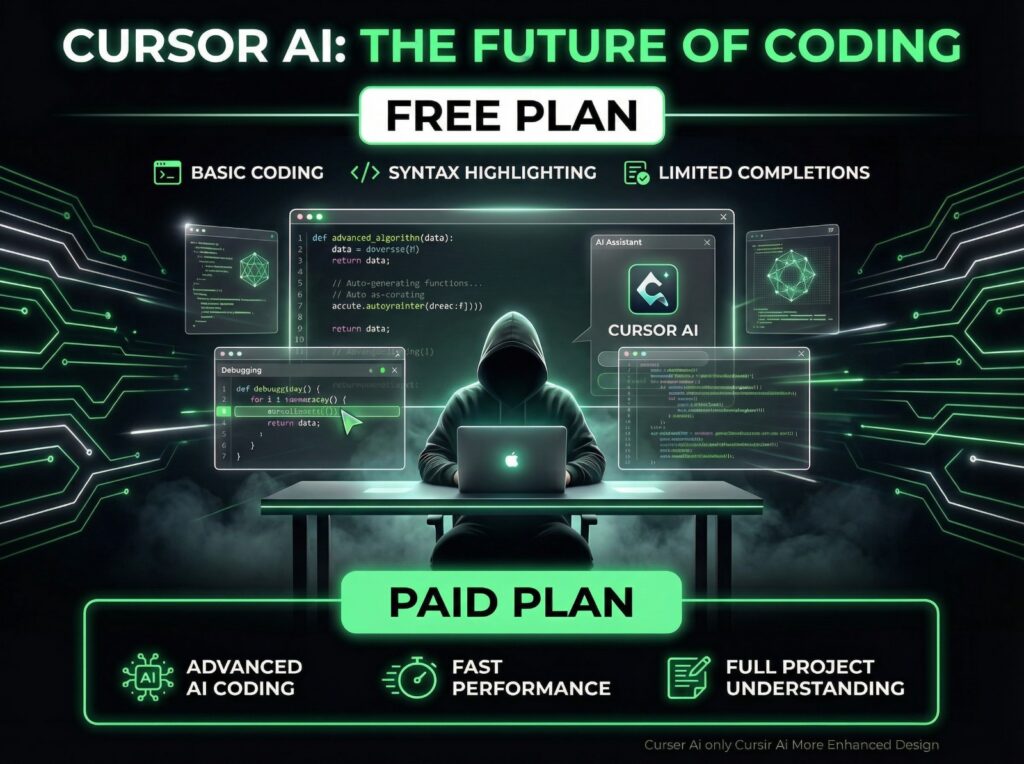
Cursor AI Free Plan
Cursor AI offers a free version that allows users to explore its basic features. This is perfect for beginners who want to try AI-powered coding tools.
The free plan usually includes:
- Basic AI code suggestions
- Limited usage
- Standard performance
Even with these limitations, the free version is very useful for learning and small projects.
Cursor AI Paid Plan
For advanced users, Cursor AI also provides paid subscription plans with more powerful features.
Paid plan benefits include:
- Faster AI responses
- Higher usage limits
- Advanced coding capabilities
- Better performance for large projects
- Priority updates and support
The paid version is ideal for professional developers, teams, and companies that rely heavily on coding.
Who Should Use Cursor AI?
Cursor AI is designed for a wide range of users.
Beginner Programmers
It helps beginners learn coding faster by providing suggestions and examples.
Professional Developers
Experienced developers can speed up their workflow and reduce repetitive tasks.
Startups and Teams
Teams can use Cursor AI to improve productivity and build projects faster.
Freelancers
Freelancers can complete projects quickly and increase their efficiency.
Benefits of Using Cursor AI
There are many advantages of using Cursor AI.
First, it saves time by automating coding tasks.
Second, it improves productivity by reducing manual work.
Third, it helps developers learn faster by providing real-time suggestions.
Finally, it reduces errors by detecting and fixing bugs automatically.
Final Thoughts
Cursor AI is one of the most powerful AI tools for developers in 2026. With its advanced features like AI code generation, bug fixing, and project understanding, it is transforming the way coding is done.
Whether you are a beginner or an experienced developer, Cursor AI can help you write better code faster and more efficiently.
If you are looking for a smart AI coding assistant, Cursor AI is definitely worth tryingCursor AI – The Smart AI Code Editor for Developers (Complete Guide)
Cursor AI is one of the most powerful AI tools designed specifically for developers. It is an advanced AI-powered code editor that helps programmers write, edit, and debug code faster and more efficiently. Built on top of modern AI technology, Cursor AI is changing the way developers work by automating complex coding tasks.
In today’s fast-paced tech world, developers need tools that can save time and increase productivity. Cursor AI does exactly that by acting like a smart coding assistant. Instead of writing every line of code manually, developers can use Cursor AI to generate code, fix errors, and even understand large codebases quickly.
What is Cursor AI?
Cursor AI is an intelligent code editor that integrates artificial intelligence directly into the coding environment. It allows developers to write code using simple instructions, and the AI automatically generates the required code.
For example, a developer can type a prompt like “create a login system using JavaScript”, and Cursor AI will generate the code instantly. This makes coding easier, especially for beginners and those who want to speed up development.
Cursor AI is also capable of understanding entire projects, which means it can analyze large code files and provide useful suggestions.
Key Features of Cursor AI
Cursor AI comes with powerful features that make it one of the best tools for developers.
1. AI Code Generation
Cursor AI can generate code based on simple text instructions. This saves time and reduces manual effort.
2. Smart Code Editing
It helps developers edit and improve existing code by suggesting better solutions and fixing errors.
3. Bug Detection and Fixing
Cursor AI can automatically detect bugs and suggest fixes, making debugging faster and easier.
4. Full Project Understanding
Unlike many tools, Cursor AI can understand the entire codebase, which helps developers manage large projects efficiently.
5. Multi-Language Support
It supports multiple programming languages like Python, JavaScript, C++, and more.
Cursor AI Free Plan
Cursor AI offers a free version that allows users to explore its basic features. This is perfect for beginners who want to try AI-powered coding tools.
The free plan usually includes:
- Basic AI code suggestions
- Limited usage
- Standard performance
Even with these limitations, the free version is very useful for learning and small projects.
Cursor AI Paid Plan
For advanced users, Cursor AI also provides paid subscription plans with more powerful features.
Paid plan benefits include:
- Faster AI responses
- Higher usage limits
- Advanced coding capabilities
- Better performance for large projects
- Priority updates and support
The paid version is ideal for professional developers, teams, and companies that rely heavily on coding.
Who Should Use Cursor AI?
Cursor AI is designed for a wide range of users.
Beginner Programmers
It helps beginners learn coding faster by providing suggestions and examples.
Professional Developers
Experienced developers can speed up their workflow and reduce repetitive tasks.
Startups and Teams
Teams can use Cursor AI to improve productivity and build projects faster.
Freelancers
Freelancers can complete projects quickly and increase their efficiency.
Benefits of Using Cursor AI
There are many advantages of using Cursor AI.
First, it saves time by automating coding tasks.
Second, it improves productivity by reducing manual work.
Third, it helps developers learn faster by providing real-time suggestions.
Finally, it reduces errors by detecting and fixing bugs automatically.
Final Thoughts
Cursor AI is one of the most powerful AI tools for developers in 2026. With its advanced features like AI code generation, bug fixing, and project understanding, it is transforming the way coding is done.
Whether you are a beginner or an experienced developer, Cursor AI can help you write better code faster and more efficiently.
If you are looking for a smart AI coding assistant, Cursor AI is definitely worth trying