
Adobe Firefly
Adobe Firefly: The Ultimate AI Image Generator for Creators in 2026
Introduction
In the rapidly evolving world of artificial intelligence, Adobe Firefly has emerged as a game-changing AI image generator. Unlike other AI tools that focus solely on creativity, Firefly brings something unique to the table – commercial safety and seamless integration with Adobe’s legendary creative suite. Whether you are a graphic designer, content creator, marketer, or small business owner, Adobe Firefly offers a powerful, ethical, and production-ready solution for generating stunning visuals.
What is Adobe Firefly?
Adobe Firefly is a family of creative generative AI models developed by Adobe. It is designed to generate high-quality images, text effects, and vector graphics from simple text descriptions. What sets Firefly apart from competitors like Midjourney or DALL-E is its deep integration with Adobe Photoshop, Adobe Illustrator, and Adobe Express. This means you can generate an image and instantly edit it using professional-grade tools without switching between platforms.
Key Features of Adobe Firefly
1. Text-to-Image Generation
Firefly excels at converting your text prompts into beautiful, photorealistic images. You can describe anything – “a futuristic city at sunset with neon lights” or “a watercolor painting of a cat wearing a hat” – and Firefly will generate multiple variations in seconds.
2. Generative Fill (Photoshop Integration)
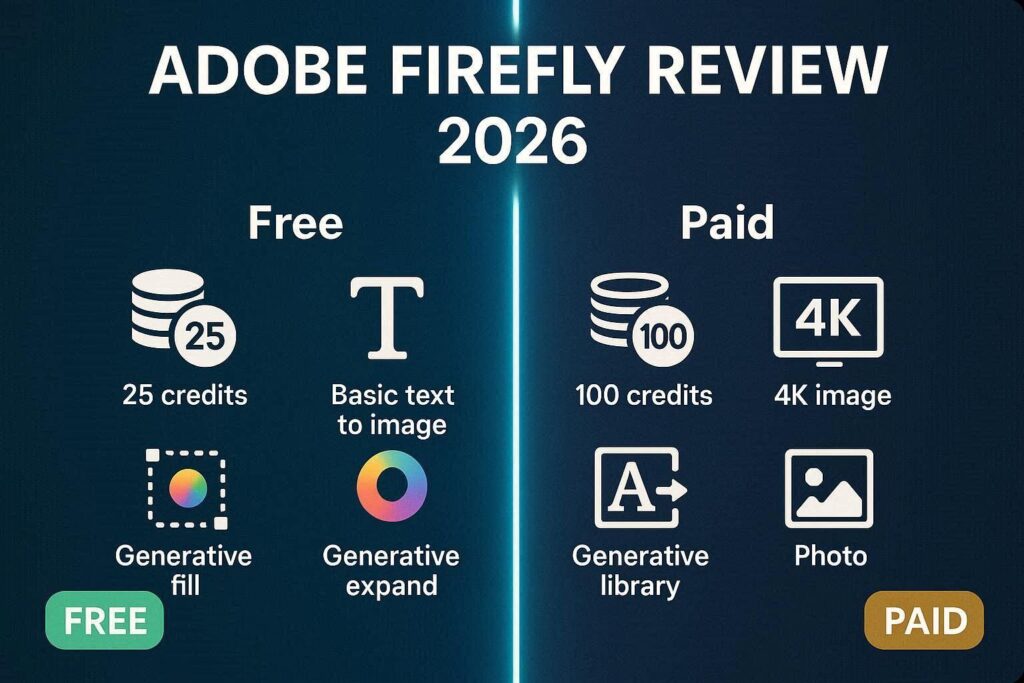
This is Firefly’s killer feature. Inside Photoshop, you can select any area of an image and type what you want to add, remove, or replace. For example, you can select the sky and type “starry night” or select a product and type “remove background”. The AI fills the area seamlessly, matching lighting, perspective, and texture.
3. Generative Expand
Need to extend a photo beyond its original borders? Generative Expand allows you to crop outward and let Firefly fill the new space with matching content. It is perfect for changing image aspect ratios for social media posts or banners.
4. Text Effects
Firefly can generate stylized text with various textures and materials. You can type a word like “FIRE” and ask for “flames coming out of the letters” or “GOLD” with “metallic 3D texture”. This is incredibly useful for logo design, posters, and social media graphics.
5. Vector Generation (Illustrator)
Unlike most AI image generators that produce raster images, Firefly can generate scalable vector graphics directly inside Adobe Illustrator. This is a massive time-saver for logo designers and illustrators.
Commercial Safety: A Major Advantage
One of the biggest concerns with AI-generated content is copyright and legal safety. Many AI tools train on images scraped from the internet without permission, which can lead to legal risks when used commercially.
Adobe Firefly solves this problem. It is trained only on licensed Adobe Stock images, public domain content, and openly licensed datasets. Additionally, Adobe has implemented a “Do Not Train” tag that respects creators who opt out. This means you can use Firefly-generated images for business, marketing, and client work with confidence and legal peace of mind.
Integration with Creative Cloud
Adobe Firefly is not just a standalone tool – it is woven into the fabric of Adobe’s ecosystem:
| Platform | Firefly Feature |
|---|---|
| Photoshop | Generative Fill, Generative Expand |
| Illustrator | Vector generation, Recolor artwork |
| Adobe Express | Text-to-image, Templates |
| Lightroom | Generative Remove (beta) |
This integration makes Firefly the best choice for professionals who already use Adobe products.
Pricing and Availability
Adobe Firefly offers a free tier with a monthly limit of 25 generative credits. For heavy users, the premium plans start at $4.99 per month for 100 credits. Creative Cloud subscribers get a generous monthly credit allowance included in their existing plan.
Pros and Cons
✅ Pros
- Legally safe for commercial use
- Deep integration with Photoshop, Illustrator, and Express
- High-quality photorealistic results
- Generative Fill is unmatched in the industry
- User-friendly interface suitable for beginners
- Text effects and vector generation
❌ Cons
- Requires an Adobe account
- Free tier has limited credits
- Less “artistic chaos” compared to Midjourney
- Not available as a mobile app (yet)
Who Should Use Adobe Firefly?
- Graphic designers who need quick mockups and edits
- Social media managers creating daily content
- E-commerce sellers removing backgrounds and enhancing product photos
- Marketers generating ad creatives and banners
- Small business owners who cannot afford a full design team
- Content creators making thumbnails and social posts
Final Verdict
Adobe Firefly is not trying to replace artists. Instead, it is a creative assistant that speeds up repetitive tasks and helps overcome creative blocks. If you are looking for an AI image generator that is safe, professional, and works seamlessly with industry-standard tools, Adobe Firefly is the best choice in 2026.