
Pika labs 2.0 Review : The Best Free AI Video Generator in 2026
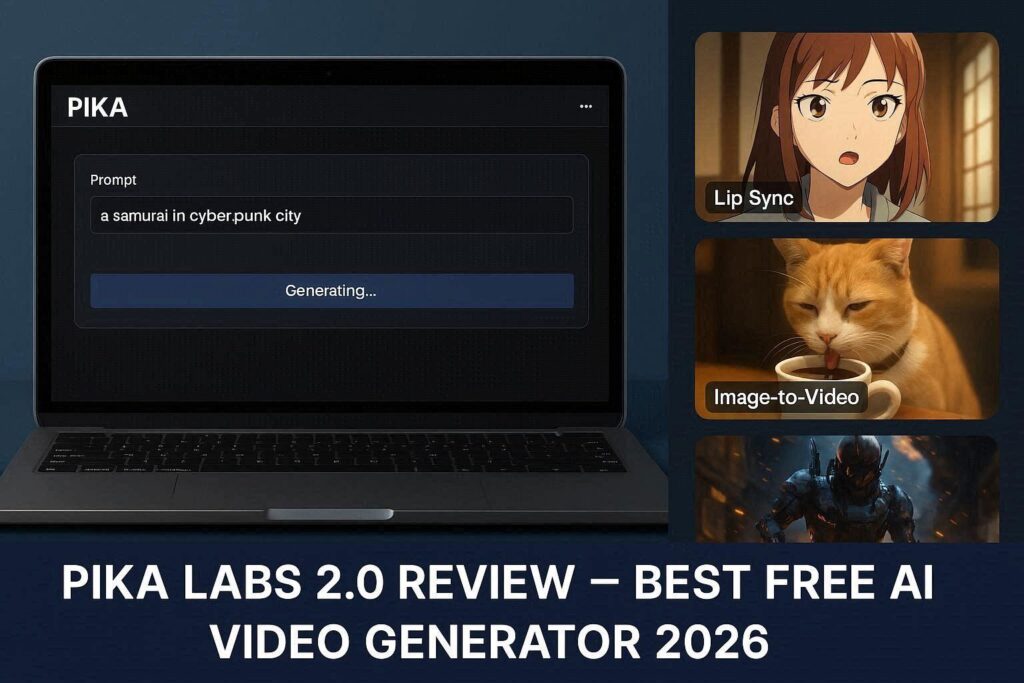
Pika Labs 2.0 Review: The Best Free AI Video Generator in 2026IntroductionThe world of AI video generation has exploded in recent years, but few tools have made as much impact as Pika Labs. In 2026, Pika Labs 2.0 stands as one of the most accessible, powerful, and surprisingly free AI video generators available today. Whether you are a content creator, social media manager, marketer, or just someone who wants to bring ideas to life, Pika Labs offers an incredible entry point into AI-generated video without breaking the bank.Unlike other AI video tools that charge hefty monthly fees, Pika Labs provides a generous free tier that allows unlimited video generation with a small watermark. For professionals, affordable paid plans remove the watermark and unlock premium features. Let’s dive deep into what makes Pika Labs 2.0 a must-try tool in 2026.What is Pika Labs?Pika Labs is an AI-powered text-to-video and image-to-video generator that allows users to create short, high-quality video clips from simple text descriptions or existing images. Founded by two Stanford PhD dropouts, Pika Labs quickly gained popularity for its impressive output quality, anime-style rendering capabilities, and user-friendly interface.Version 2.0, released in late 2025, brought significant improvements including better motion consistency, higher resolution (up to 1080p), lip-sync for characters, and video inpainting. These features put Pika Labs in direct competition with paid tools like Runway ML and HeyGen.Key Features of Pika Labs 2.01. Text-to-Video GenerationThis is Pika Labs’ core feature. Simply type what you want to see, and Pika generates a 3-4 second video clip. For example, prompts like “a samurai walking through a neon-lit cyberpunk city at night” or “a cute cat drinking coffee in a Parisian café” produce stunning, cinematic results. The AI understands camera movements too – you can specify “zoom in,” “pan left,” “dolly shot,” or “slow motion.”2. Image-to-Video (Animating Still Images)Upload any image – a photo, a drawing, or an AI-generated artwork – and Pika Labs will bring it to life. You can add motion to specific parts of the image, create subtle camera movements, or completely animate characters. This feature is perfect for bringing product photos, concept art, or historical images into motion.3. Video Inpainting (Modify Existing Videos)One of the most advanced features in Pika 2.0 is video inpainting. You can upload a video, select an area, and describe what should appear there. For example, change a boring sky to a starry night, replace a car with a spaceship, or remove unwanted objects from your footage. This is usually found only in expensive professional software.4. Lip Sync (Make Characters Talk)Pika Labs 2.0 introduced lip-sync capabilities. You can upload a character image or video, add an audio file (your voice or AI-generated), and Pika will animate the character’s mouth to match the audio. This opens up possibilities for faceless YouTube channels, animated storytelling, and educational content.5. Multiple Aspect RatiosPika supports various aspect ratios including 16:9 (YouTube), 9:16 (TikTok/Reels/Shorts), 1:1 (Instagram), and 4:3 (classic). This makes it easy to create platform-specific content without additional editing.Pricing: Free vs PaidFeature Free Tier Paid (Pika Pro)Monthly Cost $0 $8–$28/monthVideo Generation Unlimited UnlimitedWatermark Yes (small logo) No watermarkResolution Up to 720p Up to 1080pVideo Length 3 seconds 4 secondsLip Sync Limited UnlimitedCommercial Use No YesPriority Queue No YesFree tier is perfect for beginners, testing ideas, and personal projects. Pro plan is recommended for YouTubers, businesses, and anyone planning to monetize their AI-generated videos.Pros and Cons✅ ProsCompletely free tier with unlimited generationsHigh-quality output for a free toolLip sync and inpainting featuresAnime-style rendering is excellentEasy to use – no technical skills requiredDiscord community with active supportMultiple aspect ratios for all platforms❌ ConsWatermark on free videosOnly 3-4 second clips (short length)No mobile app – Discord/website onlyOccasional inconsistent motionQueue times during peak hours (free tier)Who Should Use Pika Labs?User Type Why Use Pika Labs?YouTubers Create B-roll, animated intros, faceless contentTikTok/Reels creators 9:16 vertical AI videosMarketers Product animation, ad creativesTeachers Educational animated clipsHobbyists Bring creative ideas to life for freeGame developers Quick concept trailersHow to Get Started (Step by Step)Go to pika.art or join their Discord serverSign up with Google or Discord accountGo to #generate channel (on Discord) or use web interfaceType /create followed by your text promptAdd options like aspect ratio, camera movement, or negative promptWait 30-60 seconds for generationDownload your video (with watermark on free tier)Pika Labs vs CompetitorsTool Free Tier Video Length Best ForPika Labs ✅ Unlimited 3-4 sec Beginners, animeRunway ML 125 sec total 4 sec ProfessionalsKaiber 5 videos 4 sec ArtistsSora (OpenAI) No 60 sec High-end (paid only)Tips for Best ResultsUse detailed prompts – Include camera movements, lighting, and moodKeep it simple – One main subject per video works bestUse negative prompts – Tell AI what to avoid (e.g., “no blurry faces”)Start with image-to-video – More control than text-to-videoCombine multiple clips – Edit 3-4 Pika clips together for longer videosFinal VerdictPika Labs 2.0 is a game-changer for anyone wanting to explore AI video generation without spending money. The free tier is genuinely useful, not just a teaser. While the 3-4 second length limit means you cannot make full movies, it is perfect for social media clips, B-roll footage, animated thumbnails, and creative experiments.If you are a professional creator, the Pro plan at $8/month is an absolute steal compared to competitors charging $15–$30 for similar features.Rating: 4.6/5Best for: Beginners, social media creators, and anime fansWorst for: Long-form filmmakers (need paid tools).