
CapCut AI Review 2026: The Best Free All-in-One AI Video Editor
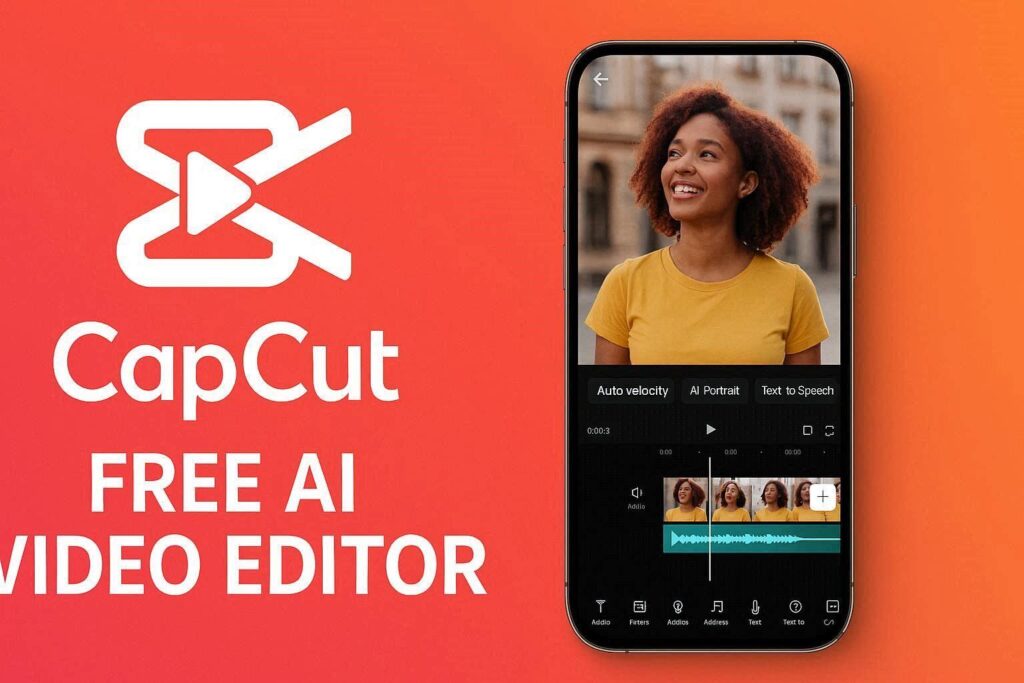
CapCut AI Review 2026: The Best Free All-in-One AI Video Editor
Introduction
CapCut has been the go-to mobile video editor for TikTok creators for years. But in 2026, CapCut has evolved into something much bigger. With the introduction of CapCut AI, this free video editor now packs powerful AI features that rival paid tools like Adobe Premiere Pro and DaVinci Resolve.
Best of all? Most AI features are completely free. No subscription, no watermarks, no limits. Whether you are a TikTok creator, YouTuber, marketer, or just someone who wants to make better videos, CapCut AI is the best free video editor available today.
What is CapCut AI?
CapCut is a free video editing application available on mobile (iOS/Android), desktop (Windows/Mac), and web browser. In 2025, ByteDance (CapCut’s parent company) integrated powerful AI features into the platform, creating CapCut AI.
The AI features include:
- Text-to-video – Generate videos from text prompts
- AI portrait – Remove backgrounds and add effects
- AI color correction – Auto-fix lighting and colors
- AI motion tracking – Attach text/effects to moving objects
- AI voiceover – Text-to-speech with many voices
- AI script generator – Write video scripts
- AI video upscaling – Improve video quality
- AI image generator – Create images inside CapCut
And almost all of it is free.
Key Features of CapCut AI
1. AI Text-to-Video
Type a script or description, and CapCut AI generates a complete video with:
- Relevant stock footage or AI-generated visuals
- AI voiceover (multiple voices and languages)
- Background music
- Subtitles
- Transitions and effects
This feature alone can save hours of editing time.
2. AI Portrait (Background Removal)
Upload any video or image, and CapCut AI removes the background instantly. You can then:
- Replace with solid colors
- Add virtual backgrounds
- Apply effects that only affect the person (not background)
- Create green screen effects without a green screen
The edge detection is surprisingly accurate – even with hair and complex edges.
3. AI Color Correction
One click to automatically fix:
- Exposure (too bright or too dark)
- White balance (weird colors)
- Contrast (flat looking video)
- Saturation (too much or too little color)
- Skin tones (make people look natural)
You can also apply “cinematic LUTs” (color presets) for a professional look.
4. AI Motion Tracking
Select any object in your video, and CapCut AI tracks its movement. You can then:
- Attach text that follows the object
- Add effects that move with the object
- Blur faces or license plates automatically
- Add stickers that follow people
5. AI Voiceover (Text-to-Speech)
Type text, choose a voice, and CapCut AI generates natural-sounding voiceover. Voice options include:
- Male and female voices
- Different accents (US, UK, Australian, Indian)
- Emotional tones (happy, sad, excited, calm)
- Multiple languages (English, Spanish, Hindi, Arabic, Urdu, and more)
6. AI Script Generator
Need a video script? CapCut AI writes one for you. Just enter a topic (e.g., “how to make coffee”), and AI generates a complete script with:
- Hook (first few seconds to grab attention)
- Body (main content)
- Call to action (what to do next)
7. AI Video Upscaling
Improve low-quality videos to HD or 4K. The AI adds details, reduces noise, and sharpens edges. Old footage, screen recordings, and low-res downloads can look dramatically better.
8. AI Image Generator
Like Midjourney or DALL-E, CapCut AI generates images from text prompts. You can use these images as:
- Video thumbnails
- Backgrounds
- B-roll footage
- Social media posts
9. Auto Captions (Subtitles)
CapCut AI automatically transcribes your audio and adds subtitles to your video. You can customize:
- Font, size, and color
- Animation (pop up, fade in, etc.)
- Position (bottom, top, or anywhere)
- Language (supports 100+ languages)
This is essential for TikTok, Reels, and YouTube Shorts where many viewers watch without sound.
10. AI Beat Detection
Upload a song, and CapCut AI detects the beats automatically. You can then:
- Sync cuts to the beat
- Add effects on beat drops
- Create music visualizers
How to Use CapCut AI (Step by Step)
Mobile (iOS/Android)
| Step | Action |
|---|---|
| 1 | Download CapCut from App Store or Google Play |
| 2 | Open app and tap “New Project” |
| 3 | Select video clips or images |
| 4 | Tap “AI” icon in bottom menu |
| 5 | Choose AI feature (Text-to-Video, Portrait, etc.) |
| 6 | Adjust settings and apply |
| 7 | Export video (no watermark) |
Desktop (Windows/Mac)
| Step | Action |
|---|---|
| 1 | Download CapCut Desktop from capcut.com |
| 2 | Install and open |
| 3 | Create new project |
| 4 | Import media or use AI Text-to-Video |
| 5 | Apply AI features from toolbar |
| 6 | Export in up to 4K (free) |
Web Browser
| Step | Action |
|---|---|
| 1 | Go to capcut.com |
| 2 | Click “Edit on Browser” |
| 3 | No download required |
| 4 | Use all AI features |
| 5 | Export video |
Pricing: Free vs Pro
| Feature | Free Tier | Pro Plan |
|---|---|---|
| Monthly Cost | $0 | $8–$20/month |
| Watermark | No watermark | No watermark |
| Export Resolution | Up to 4K | Up to 4K |
| AI Text-to-Video | ✅ Limited | ✅ Unlimited |
| AI Portrait | ✅ Yes | ✅ Yes (better quality) |
| AI Color Correction | ✅ Yes | ✅ Yes |
| AI Motion Tracking | ✅ Yes | ✅ Yes |
| AI Voiceover | ✅ Yes (10 voices) | ✅ Yes (50+ voices) |
| AI Script Generator | ✅ 5 scripts/day | ✅ Unlimited |
| AI Upscaling | ❌ No | ✅ Yes |
| Cloud Storage | 1GB | 100GB |
| Commercial Use | ✅ Yes | ✅ Yes |
Free tier is incredibly generous. Most users will never need Pro. Pro plan is for heavy users who need upscaling and more cloud storage.
Pros and Cons
✅ Pros
- Completely free for most features
- No watermark – Even on free tier
- Available everywhere – Mobile, desktop, web
- Powerful AI features – Text-to-video is amazing
- Auto captions – Essential for social media
- Background removal – Works incredibly well
- Easy to use – Beginner-friendly
- Professional output – 4K export free
- Regular updates – New features added often
❌ Cons
- Owned by ByteDance (TikTok parent) – Privacy concerns for some
- Some AI features limited on free tier
- No Linux version
- Can be slow on older devices
- Requires internet for AI features
CapCut AI vs Competitors
| Feature | CapCut AI | Adobe Premiere Pro | DaVinci Resolve | InShot |
|---|---|---|---|---|
| Price | Free | $21/month | Free | $4/month |
| AI Text-to-Video | ✅ Yes | ❌ No | ❌ No | ❌ No |
| AI Portrait | ✅ Yes | ❌ No | ❌ No | ❌ No |
| Auto Captions | ✅ Yes | ❌ No | ❌ No | ✅ Limited |
| Mobile App | ✅ Yes | ❌ No | ❌ No | ✅ Yes |
| Desktop App | ✅ Yes | ✅ Yes | ✅ Yes | ❌ No |
| Learning Curve | Easy | Hard | Hard | Easy |
| Best For | Social media | Professional | Color grading | Quick edits |
Verdict: CapCut AI is the best free video editor for social media creators. For professional filmmaking, choose Premiere Pro. For color grading, choose DaVinci Resolve.
Who Should Use CapCut AI?
| User Type | Why Use CapCut AI? |
|---|---|
| TikTok creators | Made by TikTok’s parent company – perfect integration |
| YouTubers | Free 4K export, auto captions, AI thumbnails |
| Small businesses | Create professional ads without hiring editors |
| Marketers | Quick social media videos |
| Teachers | Educational videos with auto captions |
| Beginners | Easiest professional video editor to learn |
| Anyone | It’s free – no reason not to try |
Tips for Best Results
- Use auto captions for all social media videos – Many watch without sound
- Try AI Text-to-Video for quick content – Saves hours of work
- Remove backgrounds with AI Portrait – No green screen needed
- Use AI color correction – One click makes videos look professional
- Export in 4K even for social media – Looks better when compressed
- Use keyframes with motion tracking – Text that follows people is engaging
- Save templates – Reuse your favorite effects and transitions
Popular Use Cases for CapCut AI
| Use Case | How CapCut AI Helps |
|---|---|
| TikTok videos | Auto captions, AI effects, beat sync |
| YouTube videos | 4K export, AI thumbnails, color correction |
| Instagram Reels | Vertical export, AI portraits, trending templates |
| Facebook ads | AI scripts, text-to-video, no watermark |
| Educational content | Auto captions, AI voiceover, screen recording |
| Product demos | Motion tracking, background removal, text overlays |
Final Verdict
CapCut AI is the best free video editor in 2026. Period. No other free tool offers this many powerful AI features without a watermark. Whether you are a beginner or a professional, CapCut AI has something for you.
The fact that most AI features are completely free is almost unbelievable. ByteDance clearly wants to dominate the video editing space, and they are using a freemium model to win users.
If you make videos for social media, YouTube, or anywhere else – download CapCut AI today. It will save you hours of work and your videos will look better.
Rating: 4.8/5
Best for: Social media creators, beginners, anyone who makes videos
Worst for: Professional filmmakers, privacy-concerned users, Linux users