
Simplified AI Review 2026: The Best All-in-One Design + Writing Tool
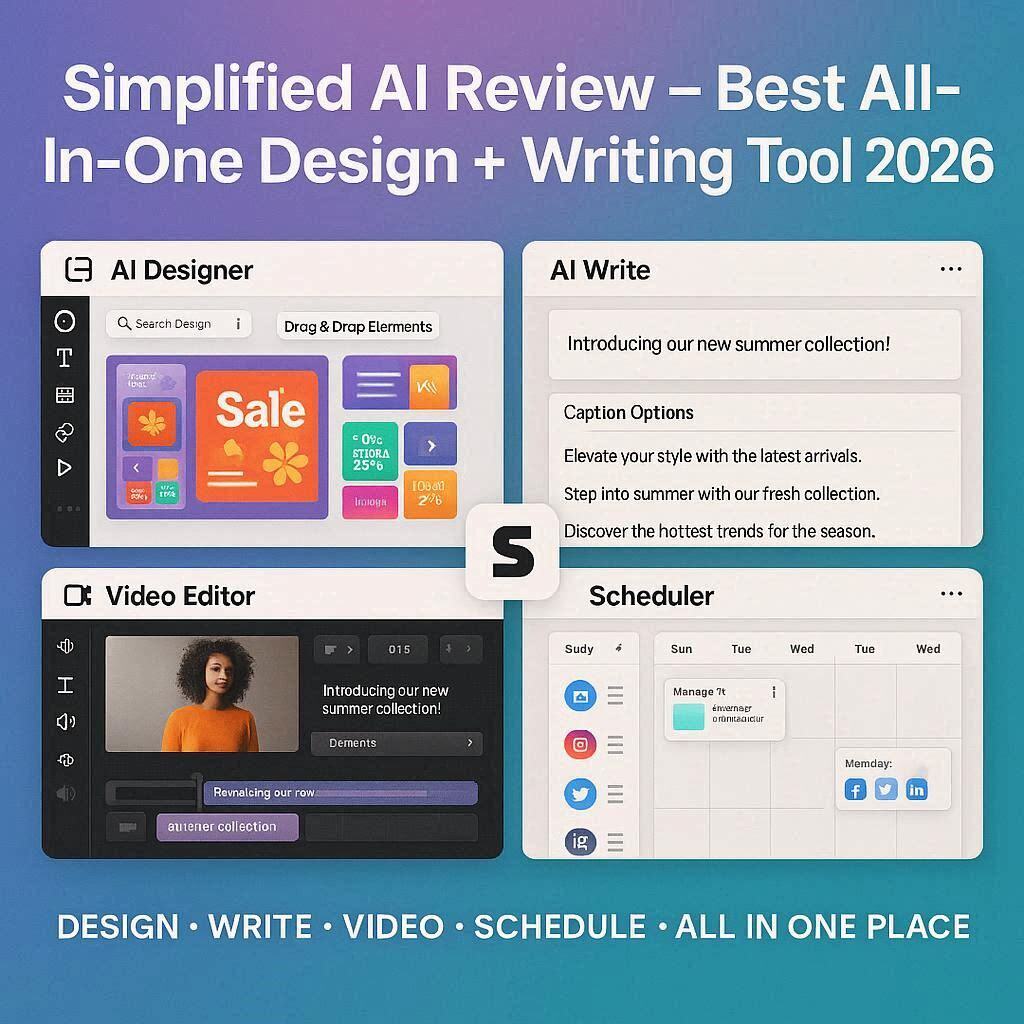
Simplified AI Review 2026: The Best All-in-One Design + Writing ToolIntroductionMost content creators face a common problem. You need a graphic for Instagram, so you open Canva. You need a caption for that graphic, so you open ChatGPT. You need to resize for Twitter, so you open another tool. Before you know it, you have five tabs open and you are jumping between different platforms.Simplified solves this problem.Simplified is an all-in-one AI-powered content creation platform that combines graphic design, AI writing, video editing, social media scheduling, and team collaboration – all in one place. No more switching between tools. No more paying for five different subscriptions. Everything you need is right there.In 2026, Simplified has over 10 million users and is the go-to tool for social media managers, small business owners, freelancers, and marketing teams who want to create content faster without hiring a designer and writer separately.What is Simplified?Simplified is a cloud-based content creation suite that brings together multiple tools under one roof:Tool What It DoesAI Designer Create graphics, social media posts, presentations, flyersAI Writer Generate blog posts, captions, ads, emails, product descriptionsAI Video Editor Edit videos, add captions, trim, mergeAI Background Remover Remove backgrounds from images instantlyAI Image Upscaler Enhance low-resolution imagesSocial Media Scheduler Plan and publish to all platformsTeam Collaboration Work together with comments, approvalsInstead of paying for Canva + ChatGPT + Later + Remove.bg separately, you get everything in Simplified. And it has a generous free tier.Key Features of Simplified1. AI Designer (Graphic Design)Simplified’s design tool is a Canva competitor with powerful AI features:Feature What It DoesAI Text to Image Generate images from text promptsAI Magic Resize Resize any design for all platforms (Instagram, Facebook, Twitter, LinkedIn, Pinterest, TikTok)AI Background Remover Remove backgrounds in one clickAI Image Upscaler Enhance image qualityTemplates (10,000+) Professionally designed templates for every needBrand Kit Save your logo, colors, and fontsTemplate categories include:Instagram posts, stories, reelsFacebook covers, posts, adsYouTube thumbnails, channel artLinkedIn banners, postsPinterest pinsTikTok videos, thumbnailsTwitter headers, postsBusiness cards, flyers, brochuresPresentations, pitch decksLogos, menus, invitations2. AI Writer (Content Generation)Simplified’s writing tool rivals dedicated AI writers like Copy.ai and Rytr:Feature What It DoesBlog Writer Generate long-form blog posts (1000+ words)Social Media Captions Write captions for all platformsAd Copy Facebook, Google, Instagram adsEmail Newsletters Marketing emails, welcome sequencesProduct Descriptions Amazon, Shopify, Etsy listingsSEO Meta Descriptions Optimized for search enginesRewriter/Paraphraser Rewrite existing contentSummarizer Summarize long articlesTone Changer Casual, professional, witty, urgent, empatheticLanguages supported: 50+ including English, Spanish, French, German, Italian, Portuguese, Dutch, Russian, Chinese, Japanese, Korean, Arabic, Hindi, Urdu.3. AI Video EditorSimplified includes a basic video editor for short-form content:Feature What It DoesTrim & Cut Remove unwanted partsAdd Text Titles, captions, subtitlesAdd Music Royalty-free audio libraryAuto Captions Generate subtitles automaticallyResize for Platforms Square for Instagram, vertical for TikTok, landscape for YouTubeMerge Videos Combine multiple clipsPerfect for creating TikTok, Reels, and Shorts.4. Social Media SchedulerPlan and publish content across all platforms from one dashboard:Platform SupportedInstagram ✅ Posts, Stories, ReelsFacebook ✅ Posts, ReelsTwitter/X ✅ TweetsLinkedIn ✅ PostsPinterest ✅ PinsTikTok ✅ VideosYouTube ✅ ShortsFeatures:Schedule posts in advanceVisual content calendarBest time recommendationsAnalytics and reportingTeam approvals5. AI Background RemoverRemove backgrounds from images instantly:One-click removalReplace with solid colorsAdd custom backgroundsDownload as transparent PNG6. AI Image UpscalerEnhance low-resolution images up to 4x:Sharpen blurry imagesAdd detailsReduce noisePerfect for old photos or low-res downloads7. Team CollaborationWork with your team:Feature What It DoesComments Leave feedback on designsApprovals Review and approve contentRoles Admin, editor, viewer permissionsShared Library Access brand assets, templates, contentHow to Use Simplified (Step by Step)Step Action1 Go to simplified.com2 Sign up with Google or email (free)3 Choose what you want to create (Design, Write, Video)4 Select a template or start from scratch5 Use AI to generate content or design6 Customize with drag-and-drop editor7 Save to your library8 Schedule to social media or downloadPricing: Free vs PaidFeature Free Tier Pro Plan Business PlanMonthly Cost $0 $15/month $25/monthDesign Projects 10 Unlimited UnlimitedAI Generations 100/month 500/month 2,000/monthTemplates 5,000+ 10,000+ 10,000+AI Writer Basic Full FullBackground Remover 10/month Unlimited UnlimitedImage Upscaler 5/month 50/month 200/monthVideo Editor ✅ Yes ✅ Yes ✅ YesSocial Scheduler 1 account 5 accounts 15 accountsScheduled Posts 30/month 500/month 2,000/monthTeam Members 1 2 5+Brand Kit ❌ No ✅ Yes ✅ YesCustom Fonts ❌ No ✅ Yes ✅ YesRemove Watermark ❌ No ✅ Yes ✅ YesFree tier is great for individual beginners. Pro plan (15/month)∗∗isrecommendedforseriouscreators.∗∗Businessplan(15/month)∗∗isrecommendedforseriouscreators.∗∗Businessplan(25/month) is for teams and agencies.Simplified vs CompetitorsFeature Simplified Canva CapCut Copy.ai LaterAI Design ✅ Yes ✅ Yes ❌ No ❌ No ❌ NoAI Writing ✅ Yes ✅ Limited ❌ No ✅ Yes ❌ NoAI Video ✅ Basic ✅ Basic ✅ Yes ❌ No ❌ NoSocial Scheduler ✅ Yes ✅ Yes (paid) ❌ No ❌ No ✅ YesTeam Collab ✅ Yes ✅ Yes ❌ No ❌ No ✅ YesAll-in-One ✅ Yes ❌ No ❌ No ❌ No ❌ NoFree Tier ✅ Generous ✅ Generous ✅ Yes Limited LimitedPrice (paid) $15/mo $15/mo $8/mo $36/mo $25/moVerdict: Simplified is the best all-in-one tool for social media managers and small businesses. Instead of paying for 3-4 different tools, you get everything in one place.Real-World ExamplesExample 1: Instagram Post + CaptionWorkflow in Simplified:Design: Choose Instagram post template → Add your image → Add text overlay → Apply brand colorsWrite: Click “AI Caption” → Type topic → AI generates 5 caption options → Choose best oneSchedule: Click “Schedule” → Pick date/time → Post goes live automaticallyTime saved: 30 minutes of switching between tools → 5 minutes in Simplified.Example 2: Blog Post + Social PromotionWorkflow in Simplified:Write: Use AI Blog Writer → Generate 1,000 word article on “10 Social Media Tips”Design: Create Pinterest pins for each tipResize: One click resizes for Instagram, Facebook, Twitter, LinkedInSchedule: Schedule all posts across platformsAnalyze: Track performance in Simplified analyticsExample 3: Product Launch CampaignWorkflow in Simplified:Write: Generate email newsletter, social captions, ad copyDesign: Create product images, banners, social graphicsVideo: Edit product demo video, add captionsSchedule: Plan 2-week campaign across all platformsTeam: Share with team for approval before publishingPros and Cons✅ ProsAll-in-one platform – Design, write, edit videos, schedule social mediaSaves money – Replaces 3-4 separate subscriptionsSaves time – No switching between toolsGenerous free tier – 10 projects, 100 AI generations10,000+ templates – Huge libraryTeam collaboration – Comments, approvals, rolesSocial media scheduler – All platforms in one place50+ languages for AI writingBrand kit – Consistent branding across all content❌ ConsNot the best at any single thing – Canva is better for design, Copy.ai is better for writingWatermark on free tierVideo editor is basic – Not for professional video editingCan be overwhelming – So many featuresNo mobile app (web only for most features)Who Should Use Simplified?User Type Why Use Simplified?Social media managers Create, write, and schedule all in one placeSmall business owners Manage all content without hiring separate toolsFreelancers Offer design + writing services with one subscriptionMarketing teams Collaborate on content, get approvalsAgencies Manage multiple clients from one dashboardContent creators Create graphics, captions, and schedule postsAnyone tired of multiple tools Simplify your workflowSimplified vs Canva: Which Should You Choose?Factor Simplified CanvaBest for Content creators needing writing + design Pure designersAI Writing ✅ Excellent ✅ LimitedSocial Scheduling ✅ Yes ✅ Yes (paid)Templates 10,000+ 100,000+Video Editing Basic BetterPrice $15/mo $15/moVerdict: Choose Simplified if you need writing + design + scheduling. Choose Canva if you only need design (larger template library, better video editing).Tips for Best ResultsUse the workflow – Don’t jump between features. Design → Write → Schedule in sequence.Set up your brand kit first – Upload logo, colors, fonts. All designs will be on-brand automatically.Use AI Magic Resize – Design once, resize for all platforms in one click.Combine AI Writer + Designer – Generate caption first, then design graphic that matches.Schedule in batches – Set aside 2 hours weekly to create and schedule all content.Use templates – Don’t start from scratch. Modify existing templates.Upgrade to Pro for no watermark and more AI generations.Frequently Asked QuestionsIs Simplified really free?Yes, free tier includes 10 design projects and 100 AI generations per month.Can I use Simplified for commercial purposes?Yes, free tier and paid tiers both allow commercial use.Is Simplified better than Canva?Simplified is better if you need AI writing and social scheduling. Canva is better for pure design with larger template library.Does Simplified have a watermark?Yes, on free tier. Paid plans remove the watermark.Can I schedule Instagram Reels with Simplified?Yes, Simplified supports scheduling Reels to Instagram.Is there a mobile app?Simplified is primarily web-based. Some features work on mobile browser.Final VerdictSimplified is not trying to beat Canva at design or Copy.ai at writing. Instead, it solves a different problem – bringing everything together in one place.If you are a social media manager, small business owner, or freelancer who currently uses 3-4 different tools (Canva + ChatGPT + Later + Remove.bg), Simplified will save you time and money. Everything is integrated. Your designs and captions are in the same place. Scheduling is built-in.The free tier is generous enough to test the platform. The 15/month Proplanis cheaperthan. paying. for. Canva(15/monthProplanischeaperthanpaying for. Canva(15) + Copy.ai (36)+Later(36)+Later(25) separately.Is Simplified the best design tool? No. The best writing tool? No. But it is the best all-in-one tool for content creators who want to simplify their workflow.Rating: 4.4/5 Best for: Social media managers, small business owners, freelancers Worst for: Professional designers, advanced video editors.