
Ideogram 2.0 Review 2026: The Best AI Image Generator for Perfect Text Rendering
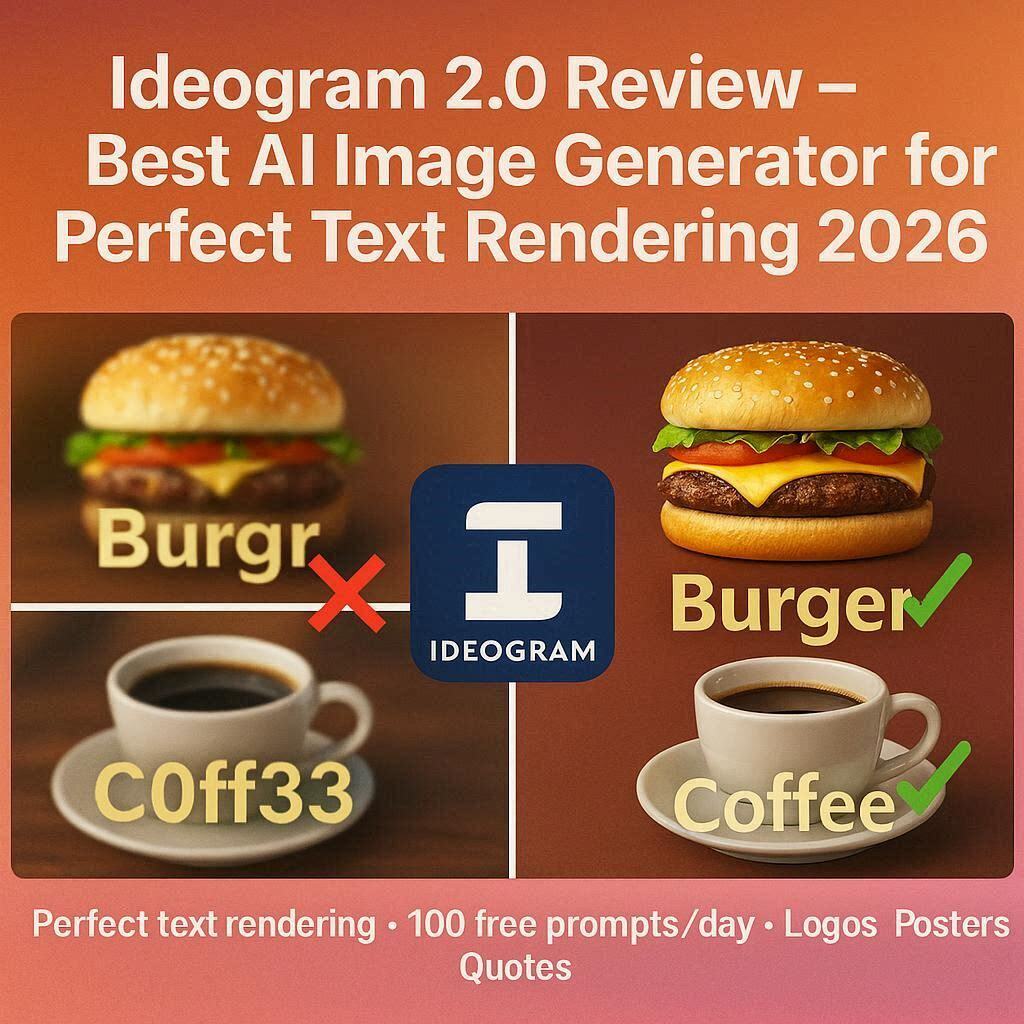
Ideogram 2.0 Review 2026: The Best AI Image Generator for Perfect Text RenderingIntroductionAsk anyone who uses AI image generators about their biggest frustration. The answer is almost always the same: text rendering.Midjourney gives you beautiful images but writes “BURGR” instead of “BURGER”. DALL-E creates stunning scenes but scrambles letters into nonsense. Stable Diffusion produces amazing art but turns “COFFEE” into “C0FF33″ with weird symbols.Enter Ideogram 2.0.Ideogram is the first AI image generator that actually writes text correctly. Whether you need a logo with your company name, a poster with a readable headline, a sign with clear words, or a meme with perfect spelling – Ideogram delivers. In 2026, Ideogram has become the go-to tool for designers, marketers, and anyone who needs AI images with real, readable text.And the best part? It has a generous free tier with 100 prompts per day.What is Ideogram?Ideogram is an AI image generator launched in 2024 by a team of former Google Brain and OpenAI researchers. While other AI tools focus on artistic quality or photorealism, Ideogram focuses on one thing that others do poorly: accurate text rendering.Version 2.0, released in early 2026, brought massive improvements including:Near-perfect text accuracy (95%+ success rate)Multiple font styles (serif, sans-serif, handwritten, display)Better typography layout (text alignment, spacing, sizing)Improved image quality (up to 1024×1024 resolution on free tier)Faster generation (10-15 seconds per image)Color palette controlIdeogram is used by graphic designers, logo designers, social media managers, marketers, and small business owners who need AI-generated images with text that actually makes sense.Key Features of Ideogram 2.01. Perfect Text Rendering (The Main Feature)This is why Ideogram exists. When you include text in your prompt, Ideogram generates it correctly:What You Ask For What Ideogram Gives You”Coffee shop logo with text ‘BREW HAVEN'” Clean logo with “BREW HAVEN” spelled perfectly”Birthday poster saying ‘HAPPY BIRTHDAY'” Poster with “HAPPY BIRTHDAY” in beautiful font”Product label with ‘ORGANIC TEA'” Label with “ORGANIC TEA” clearly readable”Meme with text ‘THIS IS FINE'” Meme with correct spelling and punctuationCompetitors’ typical output: “BREW HAVN”, “HAPPY BIRTHDA”, “ORGANC TEA”, “THIS IS FIN”Ideogram’s output: Perfect every time.2. Multiple Font StylesIdeogram 2.0 supports various font families:Font Category Examples Best ForSerif Times New Roman, Georgia Formal, classic, elegantSans-serif Arial, Helvetica, Roboto Modern, clean, minimalistHandwritten Brush script, cursive Casual, creative, personalDisplay Bold, decorative, large Headlines, posters, logosMonospace Courier, Code Tech, coding, retroYou can specify the font style in your prompt.3. Typography ControlIdeogram gives you control over text appearance:Parameter What You Can ControlFont size Small, medium, large, hugeText alignment Left, center, rightText color Specific colors or color schemesBackground Contrasting or matching colorsEffects Shadows, outlines, gradients, 3DSpacing Tight, normal, wide4. Multiple Design StylesIdeogram offers 10+ specialized styles:Style Best ForLogo Design Company logos, brand marksPoster Design Events, promotions, announcementsSocial Media Graphic Instagram, Facebook, Twitter postsProduct Label Packaging, bottles, boxesSignage Store signs, billboards, menusBook Cover Novels, textbooks, magazinesT-Shirt Design Merchandise, apparelMeme Viral content, humorTypography Art Word art, quotes, postersUI/UX Design Buttons, banners, website headers5. Color Palette ControlSpecify exact colors or color schemes:Method ExampleSpecific colors “blue and white logo”Hex codes “#FF5733 and #FFFFFF”Color schemes “pastel colors”, “dark mode”, “neon”Mood-based “warm sunset colors”, “cool winter tones”6. Remix FeatureFound an image you like? Remix it:What Remix Does How It HelpsChange the text Keep style, change wordsChange colors Different color schemeChange layout Different arrangementGenerate variations 4 versions of the same concept7. Image InpaintingSelect an area of an image and regenerate only that part:Fix small text errorsRemove unwanted elementsAdd new objectsChange backgrounds8. Magic Fill (Extend Images)Extend any image beyond its original borders:Perfect for changing aspect ratiosAI fills the new space seamlesslyGreat for social media (square to landscape/portrait)How to Use Ideogram 2.0 (Step by Step)Step Action1 Go to ideogram.ai2 Sign up with Google or email (free)3 Click “Create” or “Generate”4 Type your prompt (include the text you want)5 Example: “minimalist coffee shop logo, text ‘BREW HAVEN’ in serif font, brown and cream colors”6 Select a style (Logo, Poster, Typography, etc.)7 Choose aspect ratio (square: 1:1, portrait: 9:16, landscape: 16:9)8 Click “Generate”9 Wait 10-15 seconds10 Choose from 4 generated options11 Download (PNG) or remix for variationsPricing: Free vs PaidFeature Free Tier Pro Plan Plus PlanMonthly Cost $0 $7/month $15/monthPrompts per day 100 400 1,000Images per prompt 4 4 4Resolution Up to 1024×1024 Up to 2048×2048 Up to 4096x4096Styles 10+ All AllRemix ✅ Yes ✅ Yes ✅ YesInpainting Limited ✅ Yes ✅ YesMagic Fill ❌ No ✅ Yes ✅ YesPriority Queue ❌ No ✅ Yes ✅ YesCommercial Use ✅ Yes ✅ Yes ✅ YesWatermark Small logo No NoFree tier is incredibly generous – 100 prompts per day (400 images). Pro plan (7/month)∗∗removeswatermarkandaddshigherresolution.∗∗Plusplan(7/month)∗∗removeswatermarkandaddshigherresolution.∗∗Plusplan(15/month) is for heavy users and professionals.Ideogram 2.0 vs CompetitorsFeature Ideogram 2.0 Midjourney v7 DALL-E 4 Adobe Firefly Recraft v3Text Rendering ✅ Perfect (95%+) ❌ Poor (10-20%) ✅ Good (70%) ✅ Good (70%) ✅ Excellent for logosFree Tier 100/day ❌ No Limited 25/mo 50/dayFont Styles ✅ Multiple ❌ No ❌ No ✅ Some ✅ Vector focusResolution Up to 4K (paid) Up to 4K Up to 4K Up to 4K SVG (vector)Best For Text + images Artistic art Realistic Commercial LogosVerdict: Ideogram is the undisputed champion for text rendering. If your image needs readable words – use Ideogram. For pure artistic images, use Midjourney. For photorealism, use DALL-E.Real-World ExamplesExample 1: Logo DesignPrompt: “Modern tech startup logo, text ‘NEXUS AI’ in bold sans-serif font, blue and white colors, clean minimalist design”Ideogram Output: A professional logo with “NEXUS AI” perfectly centered, clean font, and balanced proportions – ready to use on a website.Example 2: Poster DesignPrompt: “Music festival poster, headline text ‘SUMMER BEATS 2026’ in large bold display font, neon colors, dark background, DJ silhouette”Ideogram Output: A vibrant poster with perfectly spelled headline, professional layout, and eye-catching design.Example 3: Product PackagingPrompt: “Coffee bag label, text ‘ORGANIC COLD BREW’ in handwritten font, ‘Smooth & Bold’ below in small serif, brown and gold colors”Ideogram Output: A realistic product label with all text perfectly readable, good typography hierarchy, and professional packaging look.Example 4: Social Media GraphicPrompt: “Instagram quote post, text ‘YOUR ONLY LIMIT IS YOU’ in elegant cursive font, inspirational background with sunset colors”Ideogram Output: A beautiful quote graphic ready to post – no editing needed.Example 5: Text-Heavy DesignPrompt: “Restaurant menu board, text: ‘BREAKFAST’ in large, ‘Eggs 8,Pancakes8,Pancakes7, Coffee $3’ in smaller font, chalkboard style”Ideogram Output: All text perfectly rendered, correct prices, good spacing, readable from a distance.Why Text Rendering is So Hard for AIMost AI image generators struggle with text because they don’t understand letters as symbols. They see text as just another visual pattern – like a tree or a cloud. Letters are randomly generated without understanding that “C-A-T” spells a word.Ideogram solves this by using a special architecture that treats text differently. The AI actually “reads” what it writes, ensuring letters form real words in the correct order.Pros and Cons✅ ProsBest text rendering of any AI tool – By far100 free prompts per day – Very generousMultiple font styles – Serif, sans-serif, handwritten, displayProfessional templates – Logo, poster, label, signage stylesRemix feature – Easy to iterateAffordable paid plans ($7-15/month)Commercial use allowed – Even on free tierFast generation (10-15 seconds)❌ ConsImage quality lower than Midjourney for artistic imagesLimited to 1024×1024 on free tier (Midjourney gives higher)Watermark on free images (removable in paid)No vector output (unlike Recraft)Can’t control exact font (can suggest but not guarantee)Still struggles with long text (over 15-20 words)Who Should Use Ideogram?User Type Why Use Ideogram?Logo designers Generate logo concepts with company namesSocial media managers Quote posts, announcement graphics, adsSmall business owners Create logos, signs, labels, menusMarketers Email headers, landing page graphicsContent creators YouTube thumbnails with textE-commerce sellers Product labels, packaging designsPrint designers Posters, flyers, brochuresAnyone needing text in images The only reliable optionTips for Best Results with IdeogramPut your text in quotes – text ‘YOUR TEXT HERE’ tells Ideogram exactly what to writeSpecify font style – “serif font”, “handwritten”, “bold sans-serif”Keep text short – 5-10 words maximum for best resultsUse templates – Logo, Poster, Typography styles give better resultsSpecify colors – “blue and white”, “black and gold”, “neon pink”Generate multiple versions – Ideogram gives 4 options per promptUse Remix – Get the text right, then change colors or layoutUpgrade for higher resolution – Paid plans give 2K and 4K exportCommon Use CasesUse Case Example PromptLogo “Minimalist logo for a bakery, text ‘SWEET HAVEN’ in handwritten font, pink and white colors”Poster “Event poster for concert, text ‘LIVE IN CONCERT’ in bold, ‘FRIDAY JULY 10’ in small, rock band silhouette”Quote “Inspirational quote graphic, text ‘DREAM BIG’ in large cursive font, starry night background”Label “Product label for honey jar, text ‘PURE RAW HONEY’ in serif font, gold and yellow colors”Sign “Storefront sign, text ‘OPEN 24/7’ in neon style, dark background”Meme “Funny meme, top text ‘WAITING FOR MY COFFEE’, bottom text ‘LIKE…’, distracted boyfriend meme format”Frequently Asked QuestionsIs Ideogram really free?Yes, 100 prompts per day (400 images). That’s extremely generous.Can I use Ideogram for commercial projects?Yes, free tier and paid tiers both allow commercial use.How is Ideogram different from Midjourney?Ideogram is for text rendering. Midjourney is for artistic quality. Use both.Can I use my own fonts?Not directly, but you can describe the style (e.g., “handwritten cursive”, “bold industrial”)Does Ideogram work for non-English text?Yes, but best results are with English. Arabic, Hindi, Chinese work but may have errors.How long are generation times?10-15 seconds per prompt (4 images).Ideogram vs Recraft for LogosFactor Ideogram RecraftOutput PNG/JPG (raster) SVG (vector)Text rendering Excellent ExcellentScalability Limited (pixel-based) Infinite (vector)Best for Text-heavy designs Logos that need resizingVerdict: Use Ideogram for posters, quotes, social media graphics. Use Recraft for logos you need to resize infinitely.Final VerdictIdeogram 2.0 is not trying to beat Midjourney at artistic quality. Instead, it solves a specific problem that every other AI tool fails at – rendering text correctly.If you need an AI image with any text – a logo, a poster, a sign, a quote, a label, a meme – Ideogram is the only reliable choice in 2026. The 100 free daily prompts are incredibly generous. The paid plans are affordable. And the results are consistently impressive.For pure artistic images, use Mid journey. For photorealism, use DALL-E. For logos that need resizing, use Recraft. But for anything with text – Ideogram is the undisputed champion.Rating: 4.7/5 Best for: Logos, posters, quotes, signs, any image with text Worst for: Pure artistic images without text (use Mid journey)