
Lexica AI Review 2026: The Best AI Prompt Search Engine & Image Generator
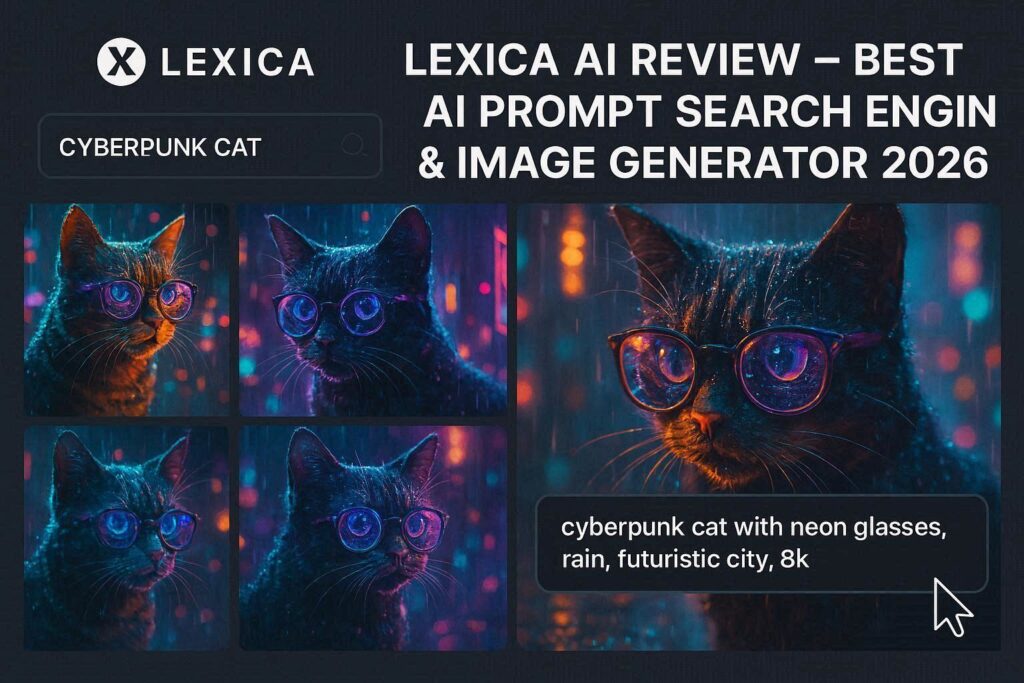
Lexica AI Review 2026: The Best AI Prompt Search Engine & Image GeneratorIntroductionYou know that feeling when you have a great idea for an AI image, but you just can’t find the right words to describe it? Or you see an amazing AI-generated image online and wonder, “What prompt did they use?”Lexica solves both problems.Lexica is the world’s largest search engine for AI art prompts. With over 500 million AI-generated images and their corresponding prompts indexed, Lexica lets you search for images and instantly see the exact prompt used to create them. You can then copy, modify, and use those prompts to generate your own stunning images.But Lexica is more than just a search engine. It also includes a powerful AI image generator (based on Stable Diffusion) that is completely free to use. In 2026, Lexica is the go-to tool for prompt inspiration and AI art discovery.What is Lexica?Lexica is an AI art platform with two main features:1. Prompt Search Engine (The Main Feature)Lexica has indexed over 500 million AI-generated images from Stable Diffusion models. For every image, you can see:The exact prompt used to create itThe negative prompt (what the creator told the AI to avoid)Model parameters (CFG scale, steps, seed, sampler)Image resolutionCreation dateYou can search for anything – “cyberpunk cat”, “fantasy castle”, “anime girl”, “product photography” – and find hundreds of examples with their prompts.2. AI Image Generator (Free)Lexica also includes a free AI image generator powered by Stable Diffusion. You can:Generate images from text promptsUse the Aperture v3.5 model (Lexica’s custom model)Generate up to 100 images per month for freeUpscale images to higher resolutionSave your prompts for future useUnlike Midjourney or DALL-E, Lexica’s generator is completely free (with limits) and designed specifically for prompt experimentation.Key Features of Lexica1. Prompt Search Engine (500M+ Images)This is what makes Lexica special. You can search for any concept and find real prompts that work:Search Example What You Find”cyberpunk city” 10,000+ images with prompts like: “cyberpunk city at night, neon lights, rain, flying cars, 8K, trending on ArtStation””fantasy warrior” 5,000+ images with prompts showing character descriptions, lighting, style, and camera angles”product photography” 2,000+ images with prompts for professional-looking product shots”anime portrait” 15,000+ anime-style portraits with their full prompts2. Copy & Paste PromptsFound an image you like? One click copies the full prompt:textExample prompt you can copy:”a beautiful fantasy landscape with floating islands, waterfalls, magical glowing trees, soft pastel colors, digital art, highly detailed, 8K, trending on ArtStation, by Greg Rutkowski and WLOP”Paste it into your favorite AI image generator (Stable Diffusion, Midjourney, DALL-E, Leonardo, etc.) and get similar results.3. Lexica Aperture v3.5 (Free Image Generator)Lexica has its own custom AI model called Aperture v3.5. It is fine-tuned specifically for:Photorealism – Realistic portraits, nature, productsAnime/Manga – Clean lines, vibrant colorsFantasy art – Detailed creatures, environmentsConcept art – Professional qualityThe generator is free with a limit of 100 images per month.4. Negative PromptsEvery image on Lexica shows its negative prompt – what the creator told the AI to avoid:Negative Prompt Example What It Prevents”deformed hands, bad anatomy” Ugly hands, weird body proportions”blurry, low quality” Fuzzy, pixelated images”watermark, text” Logos and letters in the image”dull colors, poor lighting” Flat, boring imagesLearning negative prompts is essential for getting good results.5. Filter by Model, Resolution, DateYou can filter search results by:Filter OptionsModel Stable Diffusion 1.5, 2.1, XL, Flux, Lexica ApertureResolution 512×512, 768×768, 1024×1024, etc.Aspect Ratio Square (1:1), Portrait (9:16), Landscape (16:9)Date Last week, last month, last year, all timeQuality Low, medium, high6. Image UpscalerEnhance any image to higher resolution:2x, 4x, or 8x upscalingAdds details (doesn’t just stretch pixels)Works on your generated images or uploaded images7. Collections & FavoritesSave your favorite prompts and images:Create collections (e.g., “Fantasy Art”, “Product Shots”, “Anime Portraits”)Save prompts for future useShare collections with others8. Trending & Popular SectionsLexica shows what’s popular right now:Trending – Images getting the most views/likes todayTop – Highest-rated images of all timeNew – Latest uploadsThis is great for spotting current AI art trends and popular styles.How to Use Lexica (Step by Step)Option 1: Search for PromptsStep Action1 Go to lexica.art2 Type anything in the search bar (e.g., “cyberpunk cat”)3 Press Enter4 Browse thousands of images5 Click any image to see full details6 Copy the prompt (one click)7 Paste into your favorite AI image generatorOption 2: Generate Images (Free)Step Action1 Go to lexica.art2 Click “Generate” or “Create”3 Type your prompt (or paste one you found)4 Add a negative prompt (optional)5 Select model (Aperture v3.5 recommended)6 Choose resolution and aspect ratio7 Click “Generate”8 Wait 10-20 seconds9 Download (PNG) or upscalePricing: Free vs PaidFeature Free Tier Pro Plan Ultra PlanMonthly Cost $0 $10/month $24/monthImage Generations 100/month 1,000/month 5,000/monthPrompt Search ✅ Unlimited ✅ Unlimited ✅ UnlimitedImage Upscaling Limited ✅ Unlimited (4x) ✅ Unlimited (8x)Remove Watermark ❌ No ✅ Yes ✅ YesCommercial Use ✅ Yes ✅ Yes ✅ YesPriority Queue ❌ No ✅ Yes ✅ YesAPI Access ❌ No ❌ No ✅ YesPrivate Generations ❌ No ✅ Yes ✅ YesFree tier is perfect for most users – 100 free images per month is generous. Pro plan is for regular creators. Ultra plan is for heavy users and developers.Lexica vs CompetitorsFeature Lexica Midjourney DALL-E 3 Leonardo.aiPrimary Function Prompt search + generator Image generator Image generator Image generatorPrompt Database 500M+ images ❌ No ❌ No LimitedSee Others’ Prompts ✅ Yes ❌ No ❌ No ✅ LimitedFree Tier 100 images/month ❌ No Limited 150/dayCustom Model Aperture v3.5 Own Own OwnBest For Learning prompts Artistic images Realistic images Game assetsVerdict: Lexica is the best tool for learning prompts and finding inspiration. For actual image generation, Midjourney and DALL-E produce higher quality, but Lexica is a fantastic free alternative.Why Prompts Matter (And Why Lexica is Essential)In AI art generation, the prompt is everything. The same AI model can produce dramatically different results based on how you phrase your request.Bad Prompt vs Good PromptBad Prompt Good Prompt”a dragon” “a majestic fire-breathing dragon sitting on a mountain of gold, detailed scales, glowing eyes, dramatic lighting, cinematic, 8K, trending on ArtStation””beautiful girl” “beautiful young woman with freckles and green eyes, natural lighting, professional portrait photography, shallow depth of field, high resolution””space ship” “futuristic spaceship flying through a nebula, neon lights, intricate mechanical details, stars in background, sci-fi art, 8K”Lexica helps you learn what works by showing you thousands of successful prompts. You can see exactly what words and phrases professional AI artists use.Real-World ExamplesExample 1: Finding a Cyberpunk Portrait PromptSearch: “cyberpunk portrait”Lexica Result: An image of a cyberpunk woman with glowing cybernetic eyes. The prompt is:”cyberpunk portrait of a woman with glowing blue cybernetic eyes, rain on her face, neon pink and blue lighting, highly detailed, photorealistic, 8K, cinematic lighting, by Josan Gonzalez and Syd Mead”You can copy this prompt and generate your own version.Example 2: Finding a Product Photography PromptSearch: “product photo sneaker”Lexica Result: A professional-looking sneaker photo. The prompt:”white sneaker on marble background, studio lighting, soft shadows, clean, minimalist product photography, 8K, commercial photography”You can use this prompt for your own product photos.Example 3: Learning Negative PromptsLexica shows negative prompts like:”deformed hands, extra fingers, bad anatomy””blurry, low quality, pixelated, artifacts””watermark, text, signature, logo””dull colors, poor lighting, underexposed, overexposed”Including these negative prompts dramatically improves image quality.Pros and Cons✅ Pros500M+ prompt database – World’s largestSee exact prompts – Learn from professionalsFree image generator (100 images/month)Excellent for beginners – Learn prompt engineeringNegative prompts visible – Learn what to avoidFilter by model, resolution, dateTrending section – See what’s popularCommercial use allowed even on free tier❌ ConsGenerator quality is good but not great – Midjourney and DALL-E are betterOnly 100 free images/month (Leonardo gives 150/day)Watermark on free generated imagesNo mobile app (web only)Slower than paid competitorsWho Should Use Lexica?User Type Why Use Lexica?Beginners Learn prompt engineering by exampleAI artists Find inspiration and new prompt ideasContent creators Generate free images for social mediaMarketers Create product mockups, ad visualsGame developers Concept art, character designsAnyone learning Stable Diffusion See what’s possible and how to achieve itTips for Best Results with LexicaFor Searching PromptsBe specific – “cyberpunk cat with neon glasses” works better than “cat”Use quotes – “product photography” finds exact phraseFilter by model – Newer models (XL, Flux) give better resultsCheck negative prompts – They’re as important as the promptSave favorites – Build your prompt libraryFor Generating ImagesStart with a proven prompt – Search first, then modifyUse negative prompts – Always include “deformed, blurry, watermark”Try different models – Aperture is good, but experimentUpscale your best images – Makes them much sharperStay within free tier limits – 100 images/month is plenty for learningLexica for Prompt Engineering: A Learning PathLevel What to Do TimeBeginner Search for simple concepts, copy prompts Week 1Intermediate Modify existing prompts, test variations Week 2-3Advanced Combine elements from multiple prompts Week 4Expert Write original prompts from scratch Month 2+Frequently Asked QuestionsIs Lexica really free?Yes, for searching prompts – completely free. The image generator gives you 100 free images per month.Can I use Lexica prompts in other AI tools?Yes. Copy any prompt and paste into Midjourney, DALL-E, Stable Diffusion, Leonardo, or any other AI image generator.Are the images on Lexica copyrighted?The images themselves are generated by AI and may have usage restrictions. But the prompts are free to copy and use.Can I sell images I generate with Lexica?Yes, commercial use is allowed on all tiers.What is the best model on Lexica?For most users, Aperture v3.5 (Lexica’s custom model) gives the best results.How is Lexica different from Midjourney?Lexica is primarily a prompt search engine with a free generator. Midjourney is a paid generator with a community focus. They complement each other.Final VerdictLexica is not trying to beat Midjourney or DALL-E at pure image quality. Instead, it solves a different problem – helping you learn how to write better prompts.If you are new to AI art, Lexica is the best learning tool available. You can search for any concept, see what works, copy proven prompts, and generate your own images – all for free.If you are an experienced AI artist, Lexica is an invaluable inspiration tool. When you’re stuck, search Lexica. When you want to see what’s trending, check Lexica. When you need a negative prompt for a specific issue, find it on Lexica.The 100 free monthly generations are generous enough for most users. The prompt search is unmatched anywhere on the web.Rating: 4.7/5 Best for: Learning prompt engineering, finding inspiration, free image generation Worst for: High-quality image generation (use Mid journey for that).
На что обратить внимание перед тем, как заказать продвижение сайта?
Спасибо за комментарий! В статье вы найдете рекомендации о том, на что стоит обратить внимание перед заказом SEO-продвижения сайта. Если останутся вопросы — с удовольствием отвечу!