
Meshy AI Review 2026: The Best Text to 3D Model Generator.
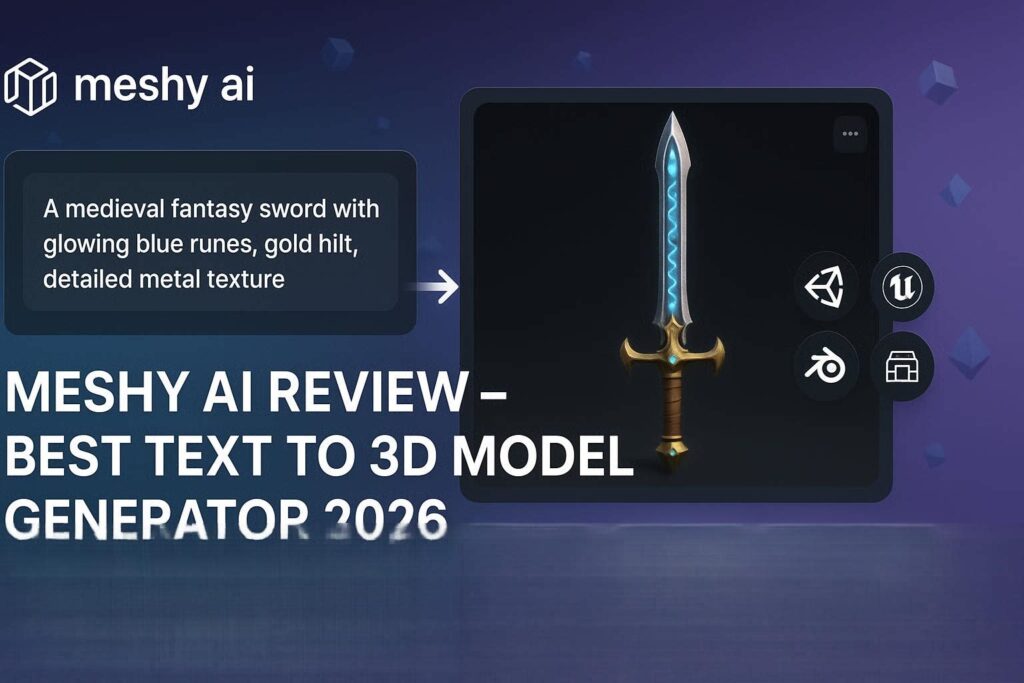
Meshy AI Review 2026: The Best Text to 3D Model GeneratorIntroductionCreating 3D models has always been difficult. It takes years of training, expensive software like Blender or Maya, and hours of manual work. Even a simple model like a chair or a tree can take hours to create.Meshy AI changes everything.Meshy AI is a generative AI tool that creates 3D models from text prompts or images. Type “a medieval wooden chair with carved legs” – and Meshy generates a complete, ready-to-use 3D model in under a minute. No 3D modeling experience required. No expensive software. Just type and generate.In 2026, Meshy AI has become the go-to tool for game developers, 3D artists, product designers, and content creators who need quick, high-quality 3D assets. And the best part? It has a generous free tier with 60 credits per month.What is Meshy AI?Meshy AI is a cloud-based generative AI platform that creates 3D models from text descriptions or reference images. It uses advanced deep learning models trained on millions of 3D assets to understand shapes, textures, lighting, and proportions.Three ways to create 3D models in Meshy:Method How It Works Best ForText to 3D Type a prompt → AI generates 3D model Quick concepts, ideasImage to 3D Upload a reference image → AI creates 3D model Recreating existing objectsText to Texture Generate or edit textures on existing models Adding details to modelsThe output is a professional-grade 3D model that you can download in multiple formats and use in game engines (Unity, Unreal), 3D software (Blender, Maya), or for 3D printing.Key Features of Meshy AI1. Text to 3D Generation (Main Feature)This is Meshy’s core feature. Type any object description, and AI generates a 3D model:Example Prompt What Meshy Generates”a wooden chair with curved back and four legs” Complete 3D chair model”a fantasy dragon with wings, sitting on a rock” Detailed dragon model”a modern sofa with cushions, beige color” Sofa with realistic textures”a sci-fi spaceship with glowing engines” Futuristic spacecraft”a cute cartoon cat with big eyes” Stylized character modelGeneration time: 30-60 seconds per model.2. Image to 3D (Reference Mode)Upload a reference image, and Meshy creates a 3D model based on it:Input Image Output 3D ModelProduct photo 3D product modelCharacter drawing 3D character modelArchitectural sketch 3D building modelAny 2D image 3D versionPerfect for turning concept art, product photos, or sketches into ready-to-use 3D assets.3. Text to Texture (UV Mapping)Already have a 3D model but need better textures? Meshy can:Feature What It DoesGenerate texture Create new textures from text promptsEdit existing texture Change colors, materials, patternsAI UV mapping Automatically wraps textures correctlyExample: Upload a plain chair model, type “wood texture with dark brown color and glossy finish” – Meshy applies realistic wood texture.4. Multiple Export FormatsMeshy supports all major 3D file formats:Format Best ForGLB/GLTF Web, AR/VR, Three.jsOBJ Blender, Maya, 3ds MaxFBX Unity, Unreal EngineSTL 3D printingUSDZ Apple AR, Reality Composer5. PBR Textures (Physically Based Rendering)Meshy generates professional PBR textures including:Texture Type What It ControlsBase Color Main color of the materialNormal Map Surface details (bumps, scratches)Roughness How shiny or matte the surface isMetallic Metal or non-metal appearanceAmbient Occlusion Shadow details in crevicesThese are the exact textures used by professional game engines.6. Model Refinement (AI Remesh)Improve generated models with one click:Refinement What It DoesReduce polygons Optimize for games and webSmooth surfaces Remove jagged edgesFix holes Repair incomplete geometrySymmetry Make perfectly symmetrical7. Animation Ready (Rigging)Meshy can generate rigged characters ready for animation:Automatic skeleton (bones)Weight paintingReady to animate in Blender, Unity, UnrealPerfect for game characters and animated content.How to Use Meshy AI (Step by Step)Text to 3D:Step Action1 Go to meshy.ai2 Sign up with Google or email (free)3 Click “Text to 3D”4 Type your prompt (be specific)5 Select art style (Realistic, Cartoon, Low Poly, etc.)6 Click “Generate”7 Wait 30-60 seconds8 Preview the 3D model (rotate, zoom)9 Click “Refine” for better quality (uses credits)10 Download in your preferred formatImage to 3D:Step Action1 Click “Image to 3D”2 Upload reference image (PNG, JPG, WEBP)3 Select style4 Click “Generate”5 Wait 60-90 seconds6 Download 3D modelPricing: Free vs PaidFeature Free Tier Pro Plan Max PlanMonthly Cost $0 $16/month $48/monthCredits 60/month 600/month 2,400/monthText to 3D ✅ Limited ✅ Unlimited ✅ UnlimitedImage to 3D ✅ Limited ✅ Unlimited ✅ UnlimitedText to Texture ✅ Yes ✅ Yes ✅ YesMax Polygons 10,000 50,000 150,000+PBR Textures 1K resolution 2K resolution 4K resolutionCommercial Use ✅ Yes (attribution) ✅ Yes ✅ YesPriority Queue ❌ No ✅ Yes ✅ YesAPI Access ❌ No ❌ No ✅ YesFree tier (60 credits/month) is great for testing and learning. Pro plan (16/month)∗∗isforregularcreators.∗∗Maxplan(16/month)∗∗isforregularcreators.∗∗Maxplan(48/month) for professionals and studios.Meshy AI vs CompetitorsFeature Meshy AI Luma Genie Tripo 3D Masterpiece XText to 3D ✅ Excellent ❌ No ✅ Good ✅ GoodImage to 3D ✅ Yes ✅ Yes ✅ Yes ✅ YesText to Texture ✅ Yes ❌ No ❌ No ❌ NoFree Tier 60/mo Limited Daily LimitedExport Formats 5+ 3 3 4PBR Textures ✅ Yes ❌ No ❌ No ✅ LimitedBest For All-rounder Photos Speed PrecisionVerdict: Meshy AI is the most complete 3D AI tool – it does text to 3D, image to 3D, AND text to texture. Luma is better for photo to 3D. Tripo is faster.Real-World ExamplesExample 1: Game Developer Creating AssetsScenario: Indie game developer needs a fantasy sword for their RPG game.Prompt: “a fantasy sword with glowing blue runes on the blade, gold hilt, leather wrapped grip, medieval style”Meshy Output: Complete 3D sword model with PBR textures (metal blade, glowing runes, gold details). Download as FBX, import to Unity. Ready in 2 minutes.Example 2: Product DesignerScenario: Designer needs a 3D model of a new chair concept.Prompt: “modern office chair with ergonomic backrest, black mesh material, silver metal legs, five casters”Meshy Output: Detailed chair model with realistic materials. Export as OBJ, import to Blender for final tweaks. Hours saved vs modeling from scratch.Example 3: 3D Printing EnthusiastScenario: Someone wants to 3D print a dragon figurine.Prompt: “cute small dragon sitting, wings folded, scales on back, friendly expression, cartoon style”Meshy Output: STL file ready for 3D printing. Watertight mesh, proper geometry. Download and print.Pros and Cons✅ ProsText to 3D is revolutionary – No skills neededMultiple export formats – Works with all 3D softwarePBR textures included – Professional qualityGenerous free tier (60 credits/month)Fast generation (30-60 seconds)Text to texture – Unique featureAPI for developers❌ ConsQuality varies – Some models need refinementFree tier limited (60 credits = ~20 models)Complex prompts struggle – Keep descriptions simpleOrganic shapes harder (humans, animals) than geometric (chairs, buildings)Requires internet – No offline modeWho Should Use Meshy AI?User Type Why Use Meshy AI?Game developers Quick props, characters, environments3D artists Speed up workflow, generate base modelsProduct designers Prototype concepts in 3DArchitects Basic building modelsContent creators 3D assets for videos, thumbnails3D printing enthusiasts Create printable modelsStudents Learn 3D modeling fasterMarketers Product visualizationTips for Best ResultsFor Text Prompts:Be specific – “wooden chair” vs “a wooden dining chair with curved back, four turned legs, and brown cushion”Mention style – “realistic”, “cartoon”, “low poly”, “stylized”Describe materials – “wood”, “metal”, “fabric”, “glass”, “stone”Add details – “with glowing eyes”, “worn texture”, “shiny surface”Keep it focused – One main object per promptFor Image to 3D:Use clear images – Good lighting, no blurMultiple angles – One clear front/side view works bestPlain background – White or transparent background idealGeneral Tips:Start with simple objects – Chair, table, cup before dragon, spaceshipUse refinement – Always click “Refine” for better qualityDownload in multiple formats – Keep OBJ and GLB bothUpgrade for commercial work – Pro plan removes attribution requirementMeshy for Game DevelopmentUse Case How Meshy HelpsProps Generate chairs, tables, trees, rocksWeapons Swords, axes, guns, shieldsEnvironment Buildings, rocks, plantsCharacters Basic character models (refine later)Workflow:Generate base model in MeshyRefine and reduce polygonsDownload FBX for Unity/UnrealImport, rig, animateFrequently Asked QuestionsIs Meshy AI really free?Yes, 60 free credits per month (about 20-30 models).Can I use Meshy models commercially?Yes, but free tier requires attribution. Pro plan removes this.What file formats does Meshy support?GLB, GLTF, OBJ, FBX, STL, USDZ.Can I 3D print Meshy models?Yes, download as STL and use with any 3D printer.How accurate are the models?Very good for simple to medium complexity objects. Complex organic shapes (humans, animals) need refinement.Is Meshy better than Luma Genie?Meshy is better for text to 3D. Luma is better for photo to 3D.Final VerdictMeshy AI is not trying to replace professional 3D artists. Instead, it is a productivity tool that speeds up the 3D modeling process by 10x-100x.For professional artists: Generate base models in seconds, then refine in Blender/Maya.For beginners: Create 3D models without any training.For game developers: Get quick props, weapons, and environment assets.For 3D printing enthusiasts: Design your own models to print.The free tier is generous enough to get started. The Pro plan at $16/month is a steal compared to hiring a 3D artist.Rating: 4.6/5 Best for: Game developers, 3D artists, product designers, 3D printing Worst for: Complex organic characters, ultra-high precision models