
Luma Genie AI Review 2026: The Best Photo to 3D Model Generator
Luma Genie AI Review 2026: The Best Photo to 3D Model Generator
Introduction
Creating 3D models has always been one of the most difficult and time-consuming tasks in the digital world. Game developers, 3D artists, and designers spend hours – sometimes days – creating a single 3D model. You need expensive software like Blender, Maya, or 3ds Max. You need years of training and practice. And even then, creating a realistic 3D model of a simple object like a coffee mug or a chair can take hours.
Luma Genie changes everything.
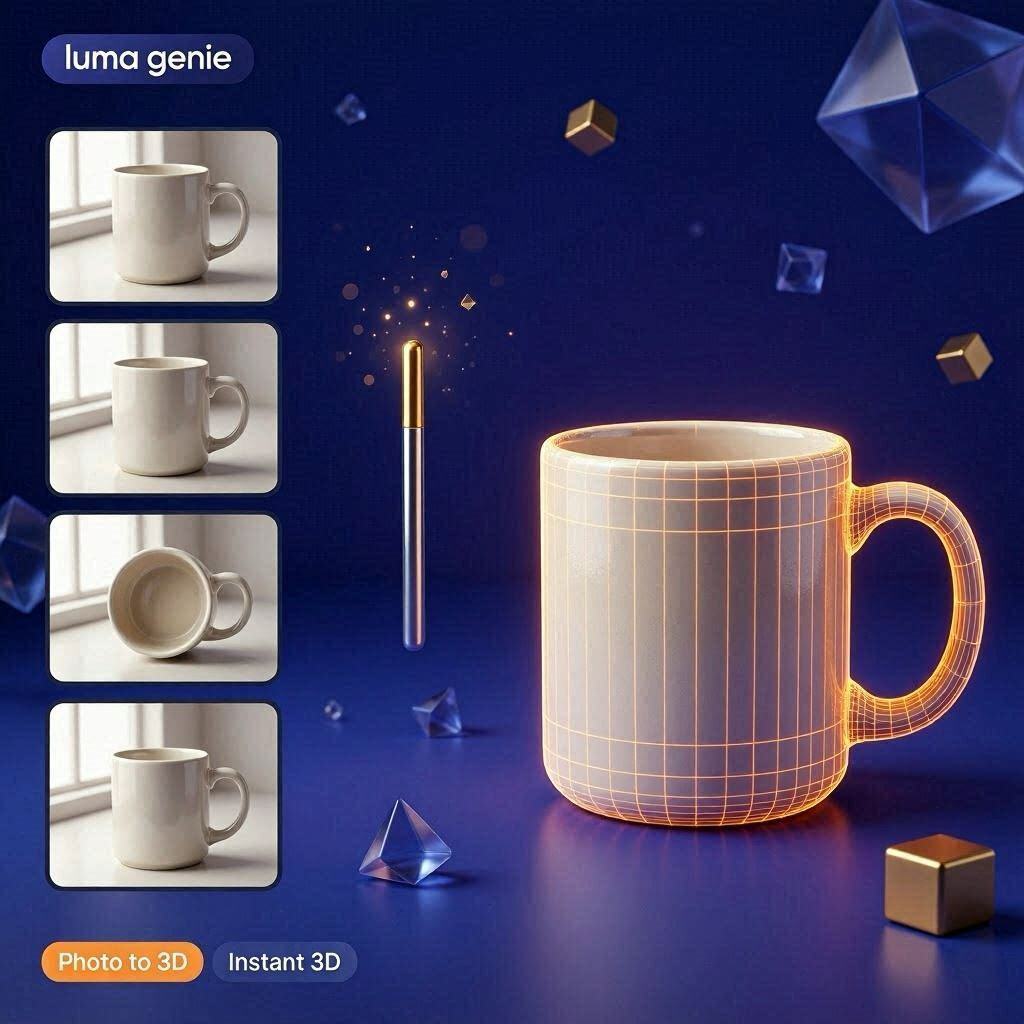
Luma Genie is a revolutionary AI-powered tool that turns ordinary photos into professional 3D models. Just take 5-10 photos of any object from different angles, upload them to Luma Genie, and the AI creates a complete, detailed 3D model in minutes. No expensive software. No years of training. Just your phone camera and a few clicks.
In 2026, Luma Genie has become the go-to tool for game developers, 3D artists, product designers, e-commerce sellers, and 3D printing enthusiasts. And the best part? It has a generous free tier to get you started.
What is Luma Genie?
Luma Genie is a cloud-based AI platform developed by Luma Labs (the same company behind Luma Dream Machine). It uses advanced Neural Radiance Fields (NeRF) technology to analyze multiple photos of an object and reconstruct it as a fully-textured 3D model.
How it works:
- Take 5-10 photos of an object from different angles
- Upload the photos to Luma Genie
- AI analyzes every pixel, angle, and lighting condition
- AI generates a complete 3D model with textures
- Download in your preferred format (OBJ, GLTF, USDZ)
The result is a high-quality, production-ready 3D model that you can use in games, AR/VR applications, e-commerce websites, or for 3D printing.
Key Features of Luma Genie
1. Photo to 3D Model (Main Feature)
This is Luma Genie’s core feature. Take 5-10 photos of any object – from any angle – and the AI creates a complete 3D model:
| Object Type | Example | Quality |
|---|---|---|
| Products | Shoes, bags, watches, electronics | Excellent |
| Furniture | Chairs, tables, sofas, lamps | Excellent |
| Sculptures | Statues, figurines, art pieces | Very Good |
| People | Full body or portrait | Good |
| Food | Fruits, vegetables, dishes | Very Good |
Why 5-10 photos? The AI needs multiple angles to understand the object’s shape, depth, and texture. More photos = better results.
2. High-Quality Textures
Luma Genie captures realistic textures from your photos:
| Texture Detail | How It Works |
|---|---|
| Color | Extracts exact colors from photos |
| Material | Detects if surface is shiny, matte, rough, smooth |
| Lighting | Bakes lighting into textures |
| Details | Captures small details like scratches, logos, labels |
3. Multiple Export Formats
Download your 3D model in any popular format:
| Format | Best For |
|---|---|
| OBJ | Blender, Maya, 3ds Max |
| GLTF/GLB | Web, AR/VR, Three.js |
| USDZ | Apple AR (iPhone/iPad) |
| STL | 3D printing |
4. Automatic Optimization
Luma Genie automatically optimizes your 3D model:
| Optimization | What It Does |
|---|---|
| Polygon reduction | Reduces file size without losing quality |
| Texture compression | Makes models load faster |
| Hole filling | Fixes missing parts |
| Smoothing | Removes jagged edges |
5. Web-Based & Mobile App
Luma Genie works everywhere:
| Platform | Availability |
|---|---|
| Web Browser | ✅ Yes (any computer) |
| Mobile Web | ✅ Yes |
| iOS App | ✅ Yes (App Store) |
| Android App | ✅ Coming soon |
6. Free Tier (Generous)
Luma Genie offers a free tier with:
- 5 free 3D model generations per month
- Standard quality (good for testing)
- Basic export formats (OBJ, GLTF)
How to Use Luma Genie (Step by Step)
| Step | Action |
|---|---|
| 1 | Go to lumalabs.ai/genie |
| 2 | Sign up with Google or email (free) |
| 3 | Click “Create New” or “Upload Photos” |
| 4 | Take 5-10 photos of your object |
| 5 | Upload all photos to Luma Genie |
| 6 | Click “Generate 3D Model” |
| 7 | Wait 5-10 minutes (AI processing) |
| 8 | Preview your 3D model (rotate, zoom) |
| 9 | Download as OBJ, GLTF, or USDZ |
Pricing: Free vs Paid
| Feature | Free Tier | Pro Plan | Business |
|---|---|---|---|
| Monthly Cost | $0 | $10/month | $50/month |
| Generations | 5/month | 50/month | Unlimited |
| Resolution | Standard | High | Ultra (4K) |
| Export Formats | OBJ, GLTF | All | All + API |
| Texture Quality | 1K | 2K | 4K |
| Priority Processing | ❌ No | ✅ Yes | ✅ Yes |
| Commercial Use | ✅ Yes | ✅ Yes | ✅ Yes |
Free tier: 5 models/month – perfect for testing.
Pro (10/month):∗∗Forregularcreators.∗∗Business(10/month):∗∗Forregularcreators.∗∗Business(50/month): For studios and e-commerce.
Real-World Examples
Example 1: E-commerce Product Model
Scenario: An online shoe store wants 3D models of their products.
Luma Genie Workflow:
- Take 8 photos of a shoe (front, back, sides, top, angles)
- Upload to Luma Genie
- AI generates 3D model in 8 minutes
- Add to website for 360° product view
Result: Customers can rotate and zoom shoes before buying.
Example 2: Game Asset Creation
Scenario: Indie game developer needs a detailed treasure chest model.
Luma Genie Workflow:
- Take 10 photos of a real treasure chest (or a prop)
- Upload to Luma Genie
- AI creates 3D model with realistic wood and gold textures
- Export as OBJ to Blender
- Import into Unity game engine
Result: Professional game asset in minutes, not hours.
Example 3: 3D Printing
Scenario: Someone wants to 3D print a statue of their pet.
Luma Genie Workflow:
- Take 12 photos of the pet from all angles
- Upload to Luma Genie
- AI creates 3D model
- Export as STL
- Send to 3D printer
Result: A perfect 3D printed statue of their beloved pet.
Pros and Cons
✅ Pros
- No 3D modeling skills needed – Anyone can use it
- Fast – Minutes vs hours of manual work
- Realistic textures – Captures real-world details
- Free tier available (5 models/month)
- Multiple export formats
- Works on phone – iOS app available
- Commercial use allowed
- Saves hundreds of hours
❌ Cons
- Requires good photos – Bad photos = bad models
- Limited to 5 free models/month
- Processing time (5-10 minutes per model)
- Not good for transparent objects (glass, water)
- Struggles with shiny/reflective surfaces
- No Android app yet
Tips for Best Results
For Taking Photos:
- Take 10-15 photos – More photos = better quality
- Move around the object – Capture all angles (360 degrees)
- Good lighting – Natural daylight works best
- Plain background – White or solid color background
- Keep object still – No movement between photos
- No reflections – Avoid glass, mirrors, shiny surfaces
For Best 3D Models:
- Avoid transparent objects – Glass and water don’t work well
- Avoid very shiny objects – Reflections confuse the AI
- Textured objects work best – Wood, fabric, stone, plastic
- Medium-sized objects – Not too small, not too large
Who Should Use Luma Genie?
| User Type | Why Use Luma Genie? |
|---|---|
| Game developers | Quick props, weapons, environment assets |
| E-commerce sellers | 360° product views on websites |
| 3D artists | Base models to refine in Blender |
| Product designers | Prototype visualization |
| 3D printing enthusiasts | Create printable models from real objects |
| AR/VR developers | Real-world objects for augmented reality |
| Museums/archives | Digitize artifacts and sculptures |
Frequently Asked Questions
Is Luma Genie really free?
Yes, 5 free 3D model generations per month.
Can I use Luma Genie on my phone?
Yes, iOS app available. Android coming soon.
What file formats can I download?
OBJ, GLTF, USDZ, and STL (for 3D printing).
How many photos do I need?
5-10 photos minimum. 15-20 for best results.
Can I use Luma Genie for commercial projects?
Yes, free tier and paid tiers both allow commercial use.
How long does processing take?
5-10 minutes for standard quality. Pro plan has priority processing.
Final Verdict
Luma Genie is not trying to replace professional 3D artists. Instead, it is a productivity tool that makes 3D modeling accessible to everyone.
If you are a game developer, Luma Genie can save you hundreds of hours of modeling time.
If you are an e-commerce seller, Luma Genie can give you professional 3D product views that increase sales.
If you are a hobbyist, Luma Genie lets you turn real objects into 3D models for printing or sharing.
The free tier gives you 5 models to test. The $10/month Pro plan is affordable for regular use.
Try Luma Genie today. You’ll be amazed at what your phone camera can create.
Rating: 4.6/5
Best for: Game developers, e-commerce sellers, 3D printing enthusiasts
Worst for: Transparent objects, shiny surfaces, professional studio work