
FlexClip AI Review 2026: The Best Online AI Video Editor for BusinessIntroduction
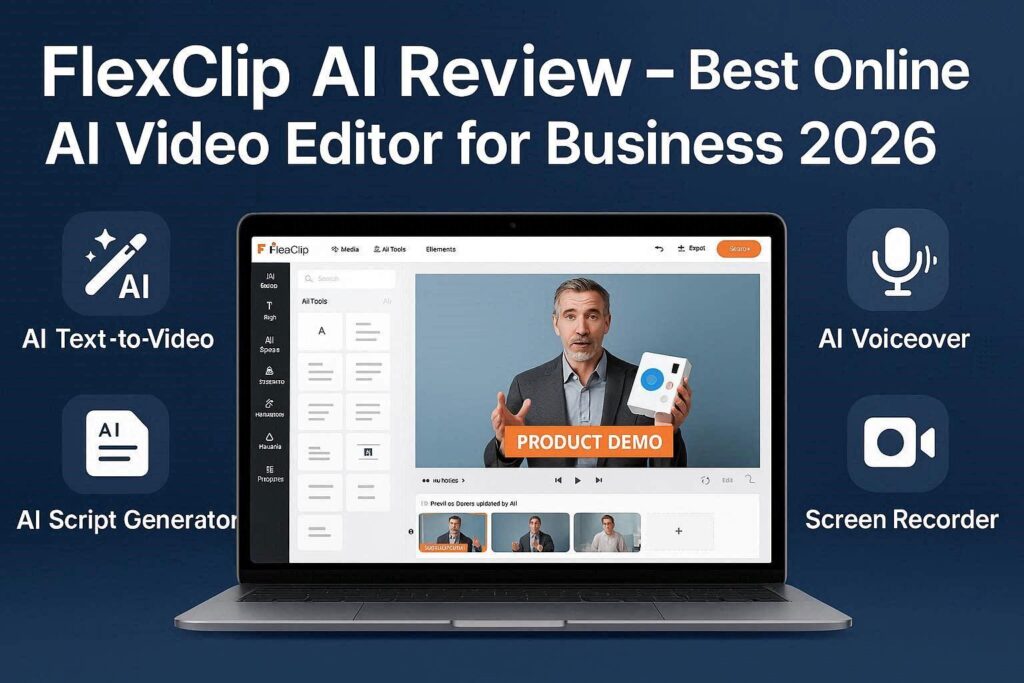
FlexClip AI Review 2026: The Best Online AI Video Editor for BusinessIntroductionCreating professional videos for your business used to require expensive software, years of experience, and hours of time. Not anymore. FlexClip is a free, online AI-powered video editor that makes professional video creation accessible to everyone.Whether you need a product demo, a social media ad, a YouTube intro, or a business presentation, FlexClip has you covered. With its powerful AI features, massive media library, and intuitive drag-and-drop interface, anyone can create stunning videos in minutes – no editing experience required.And the best part? It has a generous free tier with no time limits and only a small watermark.What is FlexClip?FlexClip is a cloud-based, AI-powered video editor designed specifically for businesses, marketers, and content creators. Launched in 2020, FlexClip has grown into one of the most popular online video editors with millions of users worldwide.In 2025 and 2026, FlexClip added powerful AI features including:AI text-to-video – Generate videos from scriptsAI voiceover – Text-to-speech with natural voicesAI script generator – Write video scripts automaticallyAI image generator – Create images from textAI background remover – Remove or replace backgroundsAI auto subtitles – Add captions automaticallyUnlike competitors that focus on social media videos (TikTok, Reels), FlexClip excels at business videos – explainer videos, product demos, ads, presentations, and training content.Key Features of FlexClip1. AI Text-to-Video (Magic)This is FlexClip’s flagship feature. Type or paste a script, and FlexClip AI generates a complete video in minutes:What You Provide What FlexClip GeneratesScript or topic Relevant stock footage or AI imagesText AI voiceover (natural voices)– Background music matching the mood– Transitions and animations– Subtitles (auto-generated)Example: Type “How to brew coffee at home” and FlexClip creates a 30-second video with coffee footage, voiceover, music, and subtitles.2. AI Voiceover (Text-to-Speech)FlexClip includes a built-in text-to-speech engine with:100+ natural voices (male, female, children)20+ languages (English, Spanish, French, German, Hindi, Arabic, Urdu, etc.)Emotional tones (happy, sad, excited, calm, professional)Speed and pitch controlsYou don’t need to record your own voice or hire a voice actor.3. AI Script GeneratorDon’t know what to say in your video? FlexClip’s AI writes scripts for you:Input OutputProduct name + description Complete video script with hook, body, CTATopic (e.g., “digital marketing tips”) 30-60 second script with key pointsBusiness type (e.g., “coffee shop”) Promotional video script4. AI Image GeneratorNeed a specific image for your video but can’t find it? Generate it with AI:Type a description (e.g., “futuristic office with robots”)Choose a style (realistic, cartoon, painting, 3D)FlexClip generates unique images you can use immediately5. AI Background RemoverUpload any video or image, and FlexClip removes the background instantly. You can then:Replace with solid colorsAdd virtual backgroundsPlace your subject anywhereCreate green screen effects without a green screen6. AI Auto Subtitles (Captions)FlexClip automatically transcribes your video’s audio and adds subtitles. You can customize:Font, size, and colorAnimation styles (pop up, fade in, typewriter)Position (bottom, top, anywhere)Language (supports 50+ languages)Studies show subtitles increase engagement by up to 40% – especially on social media.7. Massive Media LibraryFlexClip includes millions of royalty-free assets:Stock videos – 8+ million clipsStock images – 10+ million photosMusic tracks – 100,000+ royalty-free songsSound effects – 10,000+ effectsTemplates – 5,000+ video templatesText animations – 100+ stylesTransitions – 50+ effectsElements – 2,000+ overlays, shapes, iconsAll assets are royalty-free and cleared for commercial use.8. Video Templates (5000+)Don’t start from scratch. Choose from thousands of professionally designed templates:Template Category ExamplesBusiness Product demo, company intro, pitch deckSocial Media Instagram Reel, TikTok, Facebook adYouTube Intro, outro, subscriber thank youMarketing Promo video, sale announcement, testimonialEducation Tutorial, online course, training videoReal Estate Property tour, agent introWedding & Events Invitation, highlight reelJust replace the text, images, and video clips – done.9. Screen RecorderFlexClip includes a built-in screen recorder. Perfect for:Software tutorialsOnline course recordingsProduct demonstrationsZoom recording editsGaming videosRecord your screen, webcam, or both simultaneously.10. Brand Kit (Customization)Create a consistent brand identity across all your videos:Upload your logoSet brand colors (primary, secondary, accent)Choose brand fontsSave custom intro/outroOne click applies your brand to any video.How to Use FlexClip (Step by Step)Step Action1 Go to flexclip.com2 Sign up with Google or email (free)3 Click “Create a Video” or “AI Text to Video”4 Choose a template or start from scratch5 Add your media (or use AI to generate)6 Add text, music, voiceover, subtitles7 Preview and make adjustments8 Click “Export”9 Download (MP4) or share directly to social mediaPricing: Free vs PaidFeature Free Tier Plus Plan Business PlanMonthly Cost $0 $10/month $20/monthVideo Export Up to 10 min Up to 30 min Up to 60 minWatermark Small logo No watermark No watermarkExport Resolution 720p 1080p 1080p + 4KStock Media Limited Full library Full libraryAI Voiceover 5 min/month 60 min/month 300 min/monthAI Script Generator 5 scripts Unlimited UnlimitedAI Image Generator 5 images 100 images 500 imagesAI Background Remover Limited Unlimited UnlimitedAuto Subtitles 10 min/month Unlimited UnlimitedBrand Kit ❌ No ❌ No ✅ YesCommercial Use ✅ Yes ✅ Yes ✅ YesFree tier is perfect for beginners and testing. Plus plan is recommended for regular creators. Business plan for agencies and brands.FlexClip vs CompetitorsFeature FlexClip CapCut Canva InVideoBest For Business videos Social media Design + video YouTube videosFree Tier Yes (watermark) Yes (no watermark) Yes Yes (watermark)AI Text-to-Video ✅ Yes ✅ Yes Yes ✅ YesStock Media 18M+ Limited 100M+ 8M+Templates 5,000+ 1,000+ 10,000+ 5,000+Screen Recorder ✅ Yes ❌ No ❌ No ❌ NoBrand Kit ✅ Yes (paid) ❌ No ✅ Yes (paid) ✅ Yes (paid)Ease of Use Very Easy Easy Easy MediumVerdict: FlexClip is the best choice for business videos, product demos, and marketing content. For social media (TikTok/Reels), choose CapCut. For design + video, choose Canva.Pros and Cons✅ ProsVery easy to use – No learning curveExcellent for business videos – Templates for every industryMassive stock media library – 18M+ royalty-free assetsAI text-to-video – Saves hours of workScreen recorder included – Unique featureGood free tier – Enough for most beginnersNo software download – Works in browserCommercial use allowed – Even on free tier❌ ConsWatermark on free videos (small but visible)Limited to 720p on free tierAI voiceover limited (5 min/month free)No mobile app (browser only)Can be slow with large projectsWho Should Use FlexClip?User Type Why Use FlexClip?Small business owners Create product demos, ads, and explainer videosMarketers Social media ads, promo videos, email marketingReal estate agents Property tours, listing videosTeachers & trainers Educational videos, online coursesE-commerce sellers Product videos for Amazon, ShopifyAgencies Client videos with brand kitBeginners Easiest business video editor to learnReal-World ExamplesExample 1: Product Demo VideoPrompt: “Show how our coffee maker works in 30 seconds”FlexClip Output: A complete video with:Stock footage of coffee pouringText overlay “Step 1: Add Water”AI voiceover: “Start by filling the water tank”Background music (calm acoustic)Logo at the endExample 2: Social Media AdPrompt: “Summer sale – 20% off everything”FlexClip Output: A 15-second Instagram Reel with:Fast-paced cuts of productsAnimated text “20% OFF”Upbeat musicCall to action “Shop Now”Example 3: YouTube IntroPrompt: “Tech review channel intro”FlexClip Output: A 5-second intro with:Animated logo revealGlitch transitionElectronic musicText “Tech Reviews Weekly”Tips for Best ResultsUse AI Text-to-Video for quick videos – Saves the most timeAdd your logo and brand colors – Creates consistencyKeep videos short – 30-60 seconds for social mediaAlways add subtitles – 85% of Facebook videos watched without soundUse templates – Don’t reinvent the wheelExport in 1080p if you have paid planTest multiple versions – Try different thumbnails, hooks, and CTAsFlexClip for Business: Specific Use CasesBusiness Type Video IdeasRestaurant Menu video, chef introduction, customer testimonialsReal estate Property tour, agent intro, neighborhood guideE-commerce Product demo, unboxing, comparison, sale announcementAgency Services explainer, case study, portfolio showcaseCoach/Consultant Introduction video, client testimonials, free trainingNon-profit Donation appeal, impact story, event recapFinal VerdictFlexClip is not trying to compete with professional video editing software like Adobe Premiere Pro. Instead, it is a business-friendly, AI-powered video editor that helps anyone create professional-looking videos in minutes.If you are a small business owner, marketer, or content creator who needs to make videos regularly but doesn’t have editing skills – FlexClip is one of the best options available in 2026.The free tier is generous enough to get started. The paid plans are affordable ($10/month). And the AI features keep getting better.Rating: 4.5/5Best for: Business videos, product demos, marketing contentWorst for: Advanced video editing, Hollywood-style productions.