
Fliki AI Review 2026: The Best Text to Video Tool with 900+ Realistic Voices
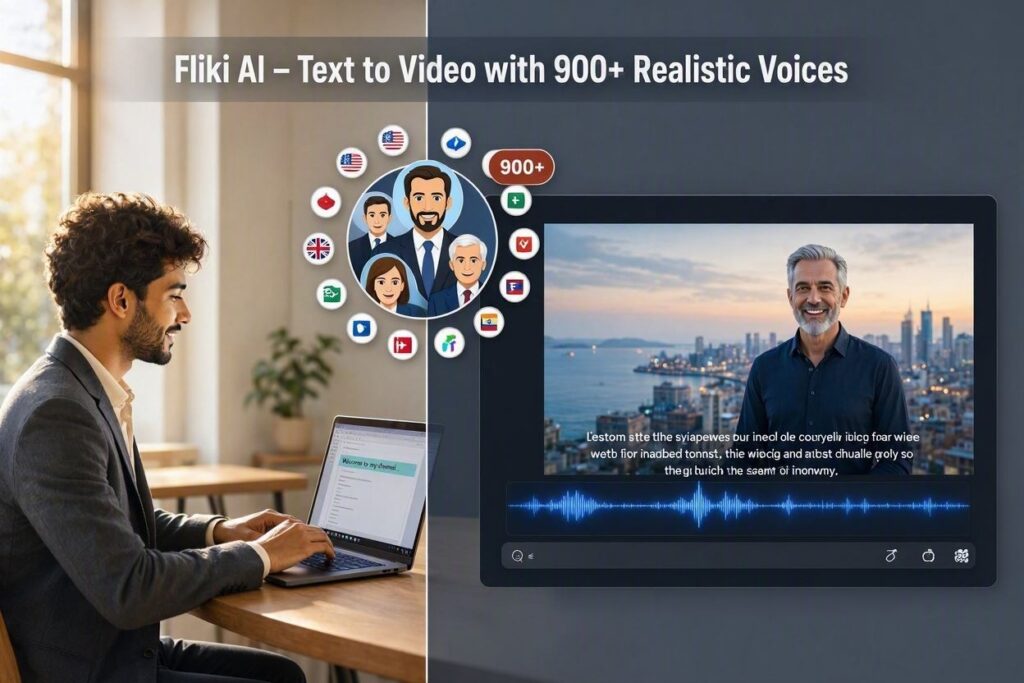
Fliki AI Review 2026: The Best Text to Video Tool with 900+ Realistic VoicesIntroductionHave you ever wanted to create professional videos but didn’t have the time, budget, or skills? Maybe you needed a voiceover but didn’t want to record your own voice. Maybe you needed a video for YouTube, TikTok, or Instagram but didn’t know how to edit.Fliki solves all these problems.Fliki is an AI-powered text-to-video platform that turns your words into stunning videos with hyper-realistic AI voices. With over 900 voices in 75+ languages, Fliki creates professional-quality videos in minutes – no cameras, no microphones, no editing skills required.In 2026, Fliki has become the go-to tool for content creators, social media managers, marketers, and businesses who want to create video content at scale without spending hours on production.What is Fliki?Fliki is a cloud-based AI video generator that creates videos from text. Just type your script, choose a voice, add some visuals, and Fliki generates a complete video with voiceover, images, and captions.How it works:Step Action1 Type or paste your script2 Choose from 900+ AI voices3 Select language and accent4 Add visuals (stock footage, images, or AI-generated)5 Click “Generate”6 AI creates a complete video in minutes7 Review, edit, download, or shareThe magic: You don’t need to record audio. You don’t need to find stock footage. You don’t need to edit. Fliki does everything for you.Key features:900+ realistic AI voices – Male, female, different ages, accents75+ languages – English, Spanish, French, German, Hindi, Arabic, Urdu, and moreStock media library – Millions of royalty-free images and videosAuto-captions – Subtitles added automaticallyText-to-speech – Convert any text to natural-sounding speechVoice cloning – Clone your own voice (Pro plan)YouTube & social media ready – Export in all aspect ratiosKey Features of Fliki1. 900+ Realistic AI Voices (The Main Feature)This is Fliki’s biggest strength. With over 900 voices, you can find the perfect voice for any project:Voice Category ExamplesMale voices Deep, professional, energetic, calmFemale voices Warm, clear, enthusiastic, soothingAccents US, UK, Australian, Indian, Canadian, South AfricanAges Young, middle-aged, olderStyles News anchor, conversational, corporate, friendlyEmotional tones Happy, sad, serious, excited, calmAll voices sound natural – not robotic or computerized.2. 75+ LanguagesCreate content for a global audience:Region LanguagesEuropean English (US, UK, AU), Spanish, French, German, Italian, Portuguese, Dutch, Swedish, Danish, NorwegianAsian Chinese (Mandarin), Japanese, Korean, Hindi, Arabic, Urdu, Indonesian, MalayMiddle East Arabic (multiple dialects), Hebrew, Turkish, PersianOther Russian, Polish, Czech, Romanian, Greek, Hungarian, FinnishReach global audiences without hiring voice actors.3. Text-to-Speech (Voiceover)Convert any text to natural speech:What You Type What Fliki CreatesScript for a video Natural voiceover matching the scriptArticle or blog post Audio version of the contentProduct description Voiceover for product videoEducational content Narration for lessonsSocial media captions Voiceover for Reels and ShortsNo microphone needed. Your computer’s voice can sound like a professional.4. Stock Media LibraryFliki includes millions of royalty-free images and videos:Media Type Library Size Use CasesStock videos 8+ million clips Backgrounds, B-roll, scenesStock images 10+ million photos Thumbnails, slide backgroundsMusic tracks 100,000+ Background musicSound effects 10,000+ Transitions, emphasisNo need to find your own media. Fliki has everything you need.5. Auto-Captions (Subtitles)Fliki automatically adds captions to your videos:Feature What It DoesAuto-transcription Converts voiceover to textWord-by-word timing Captions sync perfectlyCustom styling Font, color, size, positionMultiple languages Supports all 75+ languagesCaptions increase engagement by up to 40% (especially on social media).6. AI Image & Video GenerationCan’t find the right image? Fliki creates it:Feature What It DoesAI image generation Create images from text promptsAI video generation Create short clips from promptsStyle selection Realistic, anime, 3D, watercolor, etc.Never search for images again. AI creates them for you.7. Voice Cloning (Pro Plan)Clone your own voice:Feature What It DoesRecord 2-3 minutes Upload your voice sampleAI clones voice Creates digital copy of your voiceUse forever All future videos use your voicePerfect for: Content creators, brands, authors who want a consistent voice.8. Multiple Aspect RatiosOne video, multiple formats:Aspect Ratio Use Case16:9 (landscape) YouTube videos, websites9:16 (portrait) TikTok, Instagram Reels, YouTube Shorts1:1 (square) Instagram feedReach every platform without re-editing.How to Use Fliki (Step by Step)Step Action1 Go to fliki.ai2 Sign up (free tier available)3 Click “Create Video”4 Choose format (YouTube, TikTok, Instagram, etc.)5 Type or paste your script6 Choose a voice from 900+ options7 Select language and accent8 Add visuals (stock footage or AI-generated)9 Click “Generate”10 Wait 1-3 minutes11 Preview, edit if needed12 Download MP4 or share to social mediaPricing: Free vs PaidFeature Free Tier Plus Plan Pro PlanMonthly Cost $0 $8/month $28/monthVideo Minutes 5 minutes/month 120 minutes/year 300 minutes/yearVoices 200+ 900+ 900+Languages 50+ 75+ 75+Stock Media ✅ Limited ✅ Full ✅ FullAuto-Captions ✅ Yes ✅ Yes ✅ YesAI Image Generation ❌ No ✅ Yes ✅ YesVoice Cloning ❌ No ❌ No ✅ YesWatermark Yes (small) No NoCommercial Use ✅ Yes (with attribution) ✅ Yes ✅ YesFree tier: 5 minutes/month – great for testing.Plus ($8/month):** For regular creators.**Pro ($28/month): For professionals needing voice cloning.Real-World ExamplesExample 1: YouTube VideoScenario: You want to create a YouTube video about “Top 5 AI Tools for 2026.”Fliki Workflow:Type script: “Welcome to my channel. Today we’re going to explore the top 5 AI tools for 2026…”Choose a professional male voiceSelect 16:9 formatAdd stock footage of AI toolsGenerate video in 2 minutesDownload and upload to YouTubeResult: Professional YouTube video without recording or editing.Example 2: TikTok/ReelScenario: You want to create a short motivational video.Fliki Workflow:Type script: “Your only limit is your mind. Believe in yourself. Start today.”Choose an energetic female voiceSelect 9:16 format (portrait)Add AI-generated images (motivational backgrounds)Generate in 1 minuteDownload and post to TikTokResult: 15-second motivational video ready for social media.Example 3: Product AdScenario: You want to promote your product.Fliki Workflow:Type script: “Introducing the new SmartPro X. The ultimate productivity tool…”Choose a professional voiceAdd product images and videosAdd background musicGenerate videoUse for Facebook and Instagram adsResult: Professional ad without hiring a production team.Pros and Cons✅ Pros900+ realistic voices – Best selection available75+ languages – Global reachNo recording needed – AI voices are professionalNo editing skills – AI does everythingStock media included – No searchingAuto-captions – Boost engagementMultiple aspect ratios – All platformsVoice cloning – Use your own voice (Pro)Affordable – $8/month for PlusFree tier available (5 minutes/month)❌ ConsFree tier limited (5 minutes only)AI voices not perfect – Still slightly roboticVideo length limited (minutes per month)Processing time (1-3 minutes wait)Requires internet – No offline modeWatermark on free tierWho Should Use Fliki?User Type Why Use Fliki?YouTubers Create videos without recordingTikTok creators Quick, engaging videosSocial media managers Scale content productionMarketers Product ads, explainer videosEducators Video lessons, tutorialsSmall business owners Promotional videosContent creators Repurpose contentAnyone Create videos without skillsFliki vs CompetitorsFeature Fliki Pictory.ai Lumen5 Veed.ioVoices 900+ 50+ 20+ 100+Languages 75+ 20+ 30+ 50+Voice Cloning ✅ Yes (Pro) ❌ No ❌ No ❌ NoAI Images ✅ Yes ❌ No ❌ No ❌ NoPrice $8/mo $19/mo $19/mo $12/moFree Tier 5 min/mo 3 videos Yes (watermark) Yes (watermark)Best For Voice quality Blog repurposing Blog repurposing Browser editingVerdict: Fliki has the best voice selection of any text-to-video tool. For blog repurposing, Pictory.ai is better.Tips for Best ResultsWrite naturally – Write as if you’re speaking, not readingChoose the right voice – Match voice to your content (professional, friendly, energetic)Test different voices – Some work better than othersAdd pauses – Use punctuation for natural pacingUse visuals – Don’t just show text; use images and videosAdd captions – Increases engagementUse the right aspect ratio – 16:9 for YouTube, 9:16 for TikTok/ReelsUse free tier first – Test before subscribingFrequently Asked QuestionsIs Fliki really free?Yes, free tier gives you 5 minutes of video per month (watermarked).Can I use Fliki on YouTube?Yes, supports 16:9 aspect ratio and direct YouTube upload.Can I clone my own voice?Yes, Pro plan ($28/month) includes voice cloning.What languages does Fliki support?75+ languages including English, Spanish, French, German, Hindi, Arabic, Urdu.Is there a watermark on free videos?Yes, a small watermark. Paid plans remove it.Can I upload my own images?Yes, upload images and videos from your device.Final VerdictFliki is not trying to be a professional video editing tool. Instead, it solves a specific problem – creating videos with realistic AI voices without recording yourself.If you need professional-sounding voiceovers for your videos, Fliki is the best tool available.If you’re a content creator who hates recording your own voice, Fliki is perfect.If you need videos in multiple languages, Fliki saves you from hiring voice actors.The free tier gives you 5 minutes to test. The $8/month Plus plan is affordable for regular creators. The $28/month Pro plan adds voice cloning.For text-to-video with realistic voices, Fliki is the best tool available in 2026.Rating: 4.6/5Best for: Social media creators, YouTubers, marketers, educators Worst for: Complex video editing, professional filmmaking.