
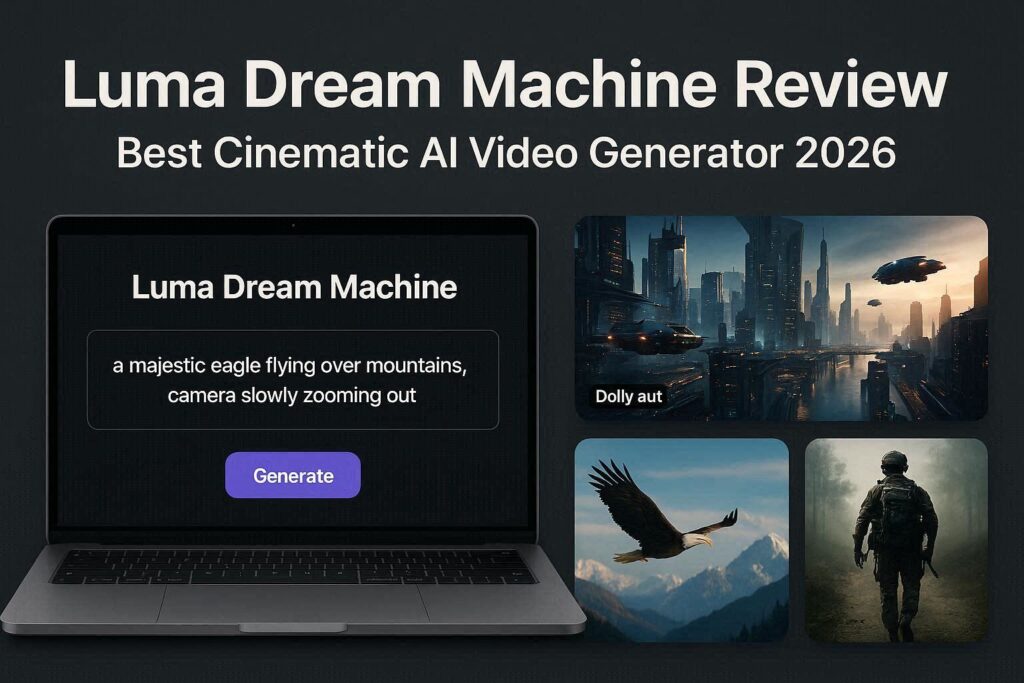
Luma Dream Machine Review 2026: The Best Free Cinematic AI Video Generator
Introduction
The world of AI video generation is evolving rapidly, and Luma Dream Machine has emerged as one of the most impressive contenders in 2026. Developed by Luma Labs, this AI video generator specializes in creating cinematic, smooth, and highly realistic short videos from text descriptions or images. Unlike other tools that produce choppy or surreal outputs, Luma Dream Machine focuses on fluid camera movements and professional-grade quality.
Whether you are a content creator, filmmaker, marketer, or hobbyist, Luma Dream Machine offers a generous free tier that allows you to generate up to 30 videos per month. For professionals, affordable paid plans unlock higher resolutions and longer videos. Let’s explore what makes this tool special.
What is Luma Dream Machine?
Luma Dream Machine is a text-to-video and image-to-video AI model that generates 5-second cinematic clips. What sets it apart from competitors like Pika Labs or Runway ML is its emphasis on camera movement. The AI understands commands like “slow zoom in,” “dolly shot,” “pan left,” “crane shot,” and “orbit around subject.” This makes the generated videos feel like they were shot by a professional cinematographer.
The tool was launched in late 2025 and quickly gained popularity for its smooth motion consistency and realistic physics. In 2026, version 2.0 brought improvements in resolution, prompt adherence, and generation speed.
Key Features of Luma Dream Machine
1. Text-to-Video Generation
Simply type what you want to see, and Luma Dream Machine generates a 5-second video. For example:
- “A majestic eagle flying over snow-capped mountains, camera slowly zooming out”
- “A futuristic city at night with flying cars, dolly shot moving forward”
- “A cup of coffee steaming on a wooden table, warm lighting, slow pan”
The AI understands camera directions, lighting cues, and mood descriptions.
2. Image-to-Video (Bring Photos to Life)
Upload any image – a photo, a painting, or an AI-generated artwork – and Luma Dream Machine animates it with natural motion. You can add camera movements, make elements move subtly, or create complete scene transitions. This feature is perfect for bringing product photos, family pictures, or concept art to life.
3. Camera Movement Control
This is Luma’s standout feature. You can specify exactly how the camera should move:
| Camera Command | Effect |
|---|---|
| “Zoom in” | Camera moves closer to subject |
| “Zoom out” | Camera pulls away from subject |
| “Dolly shot” | Camera moves forward/backward on tracks |
| “Pan left/right” | Camera rotates horizontally |
| “Tilt up/down” | Camera rotates vertically |
| “Orbit” | Camera circles around subject |
| “Crane shot” | Camera moves up or down |
4. Consistent Character & Object Physics
Unlike many AI video tools where objects warp or distort, Luma Dream Machine maintains consistent shapes and physics throughout the 5-second clip. People, animals, and objects stay recognizable without melting or morphing.
5. 4K Upscaling (Paid)
Free tier generates videos at 720p resolution. Paid plans offer up to 4K upscaling, making the videos suitable for professional projects, YouTube uploads, and commercial use.
How to Use Luma Dream Machine (Step by Step)
| Step | Action |
|---|---|
| 1 | Go to lumalabs.ai/dream-machine |
| 2 | Sign up with Google or email |
| 3 | Click “Create New Video” |
| 4 | Type your text prompt (include camera movement) |
| 5 | Or upload an image for image-to-video |
| 6 | Select aspect ratio (16:9, 9:16, 1:1) |
| 7 | Click “Generate” and wait 1-2 minutes |
| 8 | Download your video (720p on free tier) |
Pricing: Free vs Paid
| Feature | Free Tier | Pro Plan | Enterprise |
|---|---|---|---|
| Monthly Cost | $0 | $10–$30/month | Custom |
| Generations | 30/month | 300–1000/month | Unlimited |
| Resolution | 720p | 1080p–4K | 4K+ |
| Video Length | 5 seconds | 5–10 seconds | 15 seconds |
| Watermark | Yes (small) | No | No |
| Camera Control | Basic | Advanced | Full |
| Commercial Use | No | Yes | Yes |
| Priority Queue | No | Yes | Yes |
Free tier is perfect for testing and personal projects. Pro plan is recommended for YouTubers, marketers, and small businesses.
Pros and Cons
✅ Pros
- Smooth, cinematic camera movements – Best in class
- Generous free tier (30 videos/month)
- Consistent physics – No warping or melting
- Easy to use – Simple interface
- Image-to-video works beautifully
- Fast generation (1-2 minutes)
- Multiple aspect ratios supported
❌ Cons
- Only 5 seconds long on free tier
- Watermark on free videos
- No lip sync or talking characters
- Limited to 30 videos/month on free
- No mobile app (web only)
Luma Dream Machine vs Competitors
| Feature | Luma Dream Machine | Pika Labs | Runway ML | Kling AI |
|---|---|---|---|---|
| Free Tier | 30/month | Unlimited | 125 sec total | Daily credits |
| Video Length | 5-10 sec | 3-4 sec | 4 sec | 120 sec |
| Camera Control | ✅ Excellent | ✅ Good | ✅ Good | ✅ Basic |
| Watermark | Yes (free) | Yes (free) | Yes | Yes |
| Best For | Cinematic shots | Quick clips | Pro editing | Long videos |
Verdict: Luma Dream Machine is the best choice for cinematic, smooth camera movements. For unlimited free videos, choose Pika Labs. For 2-minute videos, choose Kling AI.
Tips for Best Results
- Always include camera movement in your prompt (e.g., “slow zoom in”)
- Keep scenes simple – One main subject works best
- Use lighting keywords – “Golden hour,” “studio lighting,” “neon glow”
- Avoid complex actions – Stick to single movements
- Use image-to-video for more control over the subject
- Upgrade to Pro for commercial use and no watermark
Who Should Use Luma Dream Machine?
| User Type | Why Use Luma Dream Machine? |
|---|---|
| YouTubers | Cinematic B-roll, intros, transitions |
| Filmmakers | Storyboard visualization, concept trailers |
| Marketers | Product demo videos, social media ads |
| Real estate agents | Property walkthrough animations |
| Game developers | Cinematic game trailers |
| Hobbyists | Bring creative ideas to life |
Final Verdict
Luma Dream Machine is not trying to replace professional video editing software. Instead, it is a cinematic AI assistant that helps you create stunning short clips in minutes. The camera movement control is genuinely impressive and sets it apart from every competitor.
If you need smooth, professional-looking B-roll or cinematic shots, Luma Dream Machine is the best free option available in 2026. For longer videos or unlimited generations, consider other tools. But for quality over quantity – Luma wins.
Rating: 4.6/5
Best for: Cinematic shots, YouTubers, filmmakers
Worst for: Long-form videos, talking characters