
Replit AI Review 2026: The best Browser -Based codding Assistant
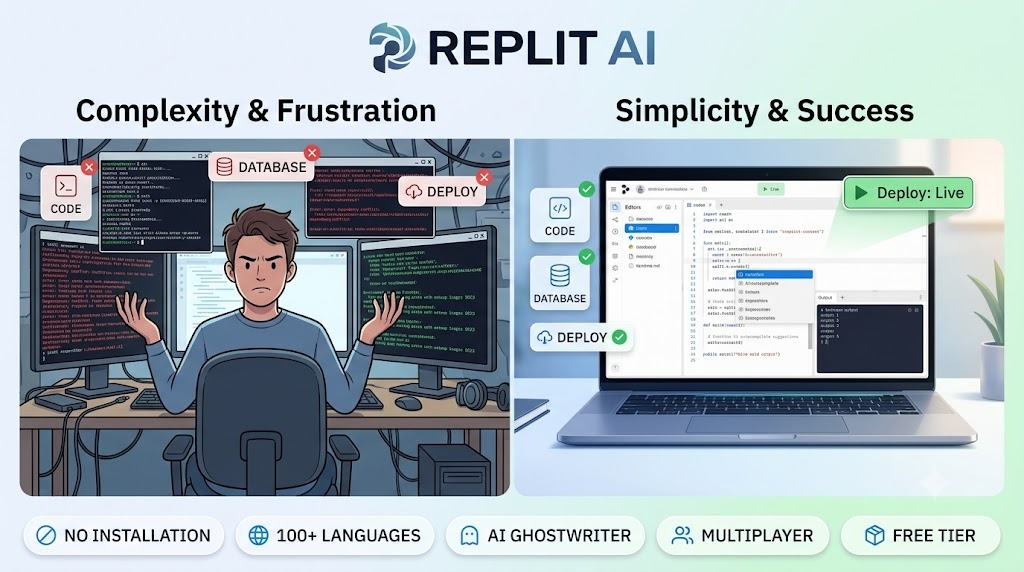
Replit AI Review 2026: The Best Browser-Based Coding Assistant. Introduction Learning to code is hard. You need to install Python, Node.js, or Java. You need to set up a code editor. You need to configure your environment. Something always goes wrong. “It works on my computer” becomes a night mare when it doesn’t work on your friend’s computer.Replit AI solves all these problems.Replit AI is a browser-based coding platform that lets you write, run, and deploy code without installing anything. Just open your browser, start coding, and AI helps you every step of the way. No setup. No configuration. No “it works on my computer” issues.In 2026, Replit has become the go-to platform for beginners learning to code, developers building side projects, and remote teams collaborating on code. It’s the easiest way to code from anywhere, on any device.What is Replit AI?Replit AI is a cloud-based development platform that combines a code editor, AI assistant, and deployment infrastructure all in one place. Everything runs in your browser.How it works:Step Action1 Open your browser2 Go to replit.com3 Start a new project (choose a language)4 Write code with AI autocom plete5 Click “Run” to see your app6 Click “Deploy” to go live The magic: You don’t need to install anything. You don’t need to set up servers. You don’t need to learn complex deployment. Replit handles everything.Key features:Ghostwriter AI – Auto completes code, explains errors, generates entire functions Multiplayer – Code with team members in real-time One-click deploy – Your app goes live instantly100+ languages – Python, Java Script, Java, C++, and more Built-in database – No separate setup needed Mobile app – Code from your phone Replit AI Chat – Ask coding questions directly Key Features of Replit AI1. Ghostwriter AI (The Main Feature)Ghostwriter is Replit’s AI coding assistant. It works like GitHub Copilot but is built directly into Replit:Feature What It Does Auto complete Predicts and completes your code as you type Error explanation Explains errors in plain English Generate functions Write a comment, AI generates the function Code completion Completes entire blocks of code Documentation generation Writes docstrings and comments Example: Type a comment like # function to sort a list of dictionaries and Ghostwriter generates the complete function.2. Multiplayer Coding (Real-Time Collaboration)Code with your team in real-time:Feature What It Does Live cursors See where teammates are typing Chat Built-in chat while coding Voice chat Speak while you code together Share projects One click to share with anyone Version history See all changes, revert if needed Perfect for: Remote teams, pair programming, teaching students.3. One-Click Deploy Your app goes live instantly:Feature What It Does Deploy button One click to deploy Custom domain Use your own domain Automatic HTTPS SSL certificate included Built-in database Persistent storage Automatic scaling Handles traffic spikes No more: Setting up AWS, configuring servers, dealing with deployment headaches.4. 100+ Languages Replit supports almost every programming language:Language Category Examples Web HTML, CSS, JavaScript, TypeScript, React, Vue, Angular. Backend Python, Node.js, Go, Rust, PHP, Ruby, Java Mobile Swift (iOS), Kotlin (Android), Flutter Data Science R, Julia, Jupyter Note books. Other C++, C#, Assembly, Bash Switch languages instantly – no installation needed.5. Built-in Data base. Replit includes a built-in database:Feature What It Does Key-Value Store Simple data storage Postgre. SQL Full relational data. base. No setup Start using immediately. Automatic backups Data is safe No need to set up a separate database. Everything is included.6. Mobile App Code from anywhere:Feature What It Does. iOS/Android app Code from your phone. Full editor Write and run code Run code Execute from mobile Share projects Share from mobile Always have your projects with you. Code on the bus, in a café, or anywhere.7. Replit AI Chat Ask coding questions directly:Feature What It Does Chat interface Ask coding questions Context-aware Knows your code and project Code generation AI writes code for you Troubleshooting Debug errors with AI Like Chat GPT, but it already knows your code.How to Use Replit AI (Step by Step)Step Action1 Go to replit.com2 Sign up with Google, GitHub, or email (free)3 Click “Create Repl”4 Choose a language or template 5 Write your code (AI helps with auto complete)6 Click “Run” to execute 7 Click “Deploy” to go live For collaboration:Step Action 1 Click “Invite” in your project 2 Send link to your team 3 Everyone edits in real-time Pricing: Free vs Paid Feature Free Tier Hacker Plan Pro Plan Monthly Cost $0 $7/month $20/month Private Repls ❌ No ✅ Yes ✅ Yes Ghost. writer AI Limited ✅ Yes ✅ Yes Deployments Limited ✅ Yes ✅ Yes CPU Resources Limited More Most Built-in Database ✅ Yes (limited) ✅ Yes ✅ Yes Mobile App ✅ Yes ✅ Yes ✅ Yes Multiplayer ✅ Yes ✅ Yes ✅ Yes Custom Domain ❌ No ❌ No ✅ Yes Priority Support ❌ No ❌ No ✅ Yes Free tier: Public projects, limited resources – great for learning.Hacker ($7/month):** Private projects, more resources.**Pro ($20/month): Most resources, custom domains.Real-World Examples Example 1: Beginner Learning Python Scenario: You want to learn Python but don’t want to install anything.Replit Workflow:Go to replit.comCreate a new Python Repl Watch AI auto complete your code Click “Run” to see output Learn programming without setup Result: You start coding in minutes, not hours.Example 2: Remote Team Building an App Scenario: A startup team needs to build a web app.Replit Workflow:Team lead creates a Node.js Repl Shares link with team Everyone edits code in real-time Built-in database stores data One-click deploy to production Result: No setup, no deployment headaches, just coding.Example 3: Teacher With StudentsScenario: A teacher wants students to code without installation issues.Replit Workflow:Teacher creates starter codeShares link with studentsStudents code in browserTeacher sees student work in real-timeNo “it works on my computer” problemsResult: Teaching code becomes easier for everyone.Pros and Cons✅ ProsNo installation needed – Just open browserWorks on any device – Chromebook, tablet, phone100+ languages – Learn any languageAI autocomplete – Codes fasterMultiplayer – Code togetherOne-click deploy – Apps go live instantlyFree tier – Perfect for learningMobile app – Code anywhereNo “it works on my computer” – Everything runs in cloud❌ ConsFree tier limited – Public projects onlyInternet required – No offline modeSlower than local – Cloud processing takes timeLimited resources – Free tier has CPU limitsLearning curve – Different from local editorsPrivacy concerns – Code runs on Replit’s serversWho Should Use Replit AI?User Type Why Use Replit?Beginners No installation, easy to startStudents Code from any computerTeachers Easy to share with studentsRemote teams Real-time collaborationSide project builders Fast deploymentNon-technical founders Build MVPs without setupAnyone Code from anywhereReplit AI vs CompetitorsFeature Replit AI GitHub Codespaces VS Code Online CursorBrowser-based ✅ Yes ✅ Yes ✅ Yes ❌ NoAI Assistant ✅ Yes (Ghostwriter) ✅ Yes (Copilot) ✅ Limited ✅ Yes100+ Languages ✅ Yes ✅ Yes ✅ Yes ✅ YesMultiplayer ✅ Yes ❌ No ❌ No ❌ NoOne-click Deploy ✅ Yes ❌ No ❌ No ❌ NoFree Tier ✅ Yes ❌ No (trial) ✅ Yes ❌ NoMobile App ✅ Yes ❌ No ❌ No ❌ NoBest For Beginners, teams Developers Developers DevelopersVerdict: Replit is the best for beginners, students, and teams. For professional developers, Codespaces or Cursor might be better.Tips for Best ResultsStart with a template – Don’t start from scratchUse Ghostwriter – Let AI help you codeUse multiplayer – Code with friends or teamDeploy early – See your app live quicklyUse the mobile app – Code on the goTry different languages – Easy to switchUse the built-in database – No separate setupAsk Replit AI Chat – Get help when stuckFrequently Asked QuestionsIs Replit really free?Yes, free tier with public projects, limited resources.Can I use Replit on my phone?Yes, iOS and Android apps available.What languages does Replit support?100+ including Python, JavaScript, Java, C++, HTML/CSS, Go, Rust, and more.Can I deploy my app?Yes, one-click deploy with custom domain (Pro plan).Is my code private?Free tier is public. Hacker and Pro plans have private Repls.Can I collaborate with others?Yes, multiplayer coding with real-time edits.Final VerdictReplit AI is not trying to replace professional IDEs like VS Code or IntelliJ. Instead, it solves a specific problem – making coding accessible to everyone.If you’re a beginner, Replit is the easiest way to start coding.If you’re a student, Replit lets you code from any computer.If you’re a teacher, Replit makes it easy to share code with students.If you’re a team, Replit provides real-time collaboration.The free tier is generous enough to learn and build. The $7/month Hacker plan is affordable for private projects. The $20/month Pro plan is for serious developers.For browser-based coding with AI assistance, Replit is the best tool available in 2026.Rating: 4.6/5Best for: Beginners, students, teachers, remote teams, side projectsWorst for: Professional developers needing offline use, advanced debugging, very large codebases.