
Diffusion Bee AI Review 2026: The Best Free Stable Diffusion App For Mac
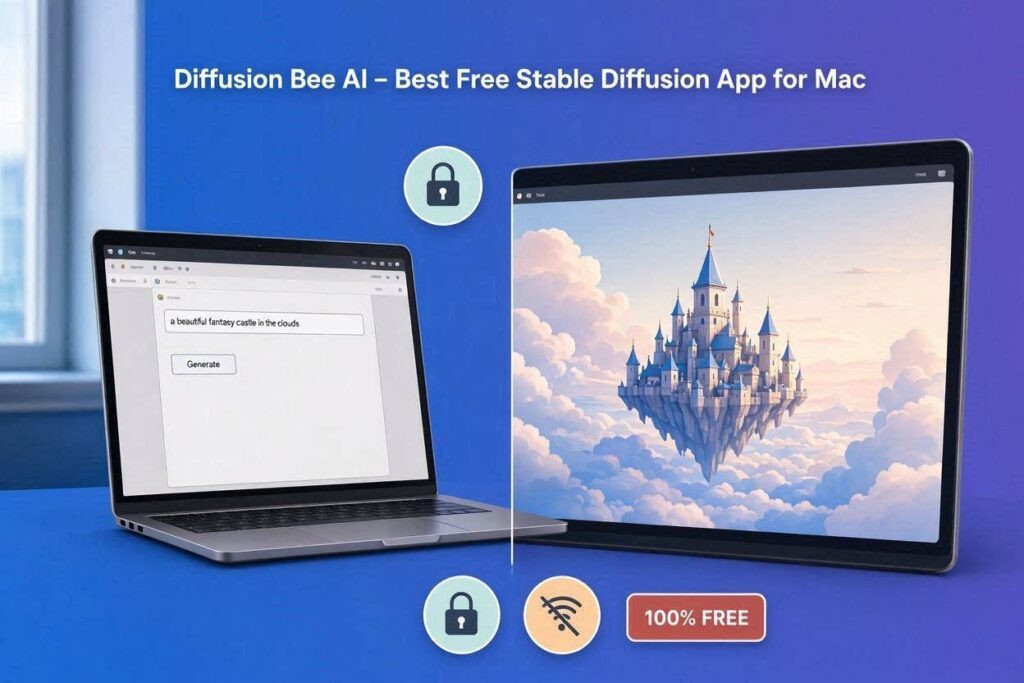
Diffusion Bee AI Review 2026: The Best Free Stable Diffusion App for MacIntroductionMost AI image generators require you to use cloud services. You upload your images to the cloud, they get processed on someone else’s servers, and then you download the result. This means your images are not private. The company could see them, store them, or use them for training.Diffusion Bee solves this problem.Diffusion Bee is a completely free Mac app that runs Stable Diffusion locally on your computer. Your images are generated right on your Mac – they never leave your device. No cloud. No data sharing. No privacy concerns. Complete control.In 2026, Diffusion Bee has become the go-to AI image generator for Mac users who value privacy, simplicity, and zero cost. It’s open source, completely free, and works without any internet connection.What is Diffusion Bee?Diffusion Bee is a native Mac application that runs the Stable Diffusion AI model locally on your computer. You don’t need to set up complex Python environments, install command-line tools, or pay for cloud credits. Just download the app, open it, and start generating images.How it works:Step Action1 Download Diffusion Bee from the official website2 Install the app on your Mac3 Type your prompt (e.g., “a beautiful sunset over mountains”)4 Click “Generate”5 AI generates image directly on your Mac6 Save, share, or editThe magic: Everything runs locally. No internet required. No cloud. No data sharing. Complete privacy.Key features:100% free – No subscription, no credits, no hidden costsLocal generation – Images stay on your MacNo internet required – Works offlinePrivacy guaranteed – Your images never leave your deviceOpen source – Free forever, community-drivenEasy to use – No technical setup requiredFast generation – 5-10 seconds on M-series MacsMultiple models – Supports different Stable Diffusion versionsImage-to-image – Upload existing images and modify themKey Features of Diffusion Bee1. Local AI Image Generation (The Main Feature)This is Diffusion Bee’s killer feature. All AI processing happens on your Mac:Feature What It DoesLocal processing Images generated on your MacNo cloud Your data never leaves your deviceOffline capable Works without internetPrivacy first No one sees your imagesWhy this matters: Most AI image generators send your images to the cloud. The company could see, store, or use your images. With Diffusion Bee, you have complete privacy.2. Text to Image GenerationType any prompt and generate images:Prompt Type Example ResultRealistic “A photorealistic portrait of an elderly fisherman” Detailed, realistic imageArtistic “A fantasy castle floating in the clouds, digital art” Creative, artistic imageAnime “Anime girl with pink hair in a cyberpunk city” Anime-style imageProduct “A white sneaker on a marble background, studio lighting” Professional product photoGeneration time: 5-15 seconds on M1/M2/M3 Macs. Longer on older Intel Macs.3. Image-to-Image (Img2Img)Upload existing images and modify them:Feature What It DoesChange style Photo to painting, day to nightModify elements Change hair color, add glassesUpscale Enhance low-resolution imagesInpaint Remove or replace parts of an image4. Inpainting & OutpaintingEdit specific parts of images:Feature What It DoesInpainting Select area, regenerate only that partOutpainting Extend image beyond original bordersBrush tool Paint over areas you want to change5. Multiple AI ModelsSwitch between different Stable Diffusion models:Model Style Best ForSD 1.5 General purpose Versatile, fastSDXL High quality Detailed, realistic imagesRealistic Vision Photorealistic Realistic portraits, productsAnime Anime/manga Cartoon, anime styleCustom models User-installed Specific styles6. Negative PromptsTell AI what to avoid in your images:Negative Prompt Example What It Prevents”deformed hands, bad anatomy” Ugly hands, weird body proportions”blurry, low quality” Fuzzy, pixelated images”watermark, text” Logos and letters in the image7. Batch GenerationGenerate multiple images at once:Feature What It DoesMultiple images Generate 2, 4, or 8 imagesVariations Different versions of same promptGrid view Compare results side by side8. No Accounts, No SignupsFeature StatusSignup required ❌ NoInternet required ❌ NoCredit card ❌ NoWatermark ❌ NoInstallation ✅ Just download and useNo friction, no barriers. Just generate images.How to Use Diffusion Bee (Step by Step)Step Action1 Go to diffusionbee.com2 Click “Download” (free)3 Install the app on your Mac4 Open Diffusion Bee5 Type your prompt (e.g., “a beautiful sunset over mountains”)6 Click “Generate”7 Wait 5-15 seconds8 Save or share your imageFor image-to-image:Step Action1 Click “Upload Image”2 Select your image3 Type your prompt (what to change)4 Click “Generate”5 Save the modified imagePricing: 100% Free ForeverFeature StatusMonthly Cost $0One-time Cost $0Generations UnlimitedWatermark NoneCommercial Use ✅ Yes (check model licenses)Privacy Complete (local generation)Updates Free (open source)Diffusion Bee is completely free. No subscriptions. No credits. No hidden costs. Open source.Real-World ExamplesExample 1: Graphic Designer Creating ConceptsScenario: A designer needs quick concept art for a project.Diffusion Bee Workflow:Type prompt: “futuristic cityscape, neon lights, cyberpunk, 8K”Generate 4 variationsChoose best oneUse as reference or final designResult: 10 concepts in 5 minutes.Example 2: Content Creator ThumbnailScenario: A YouTuber needs an eye-catching thumbnail.Diffusion Bee Workflow:Type prompt: “dragon with glowing eyes, dramatic lighting, cinematic”Generate imageDownload and add text in editing softwareUpload to YouTubeResult: Professional thumbnail in 5 minutes.Example 3: Old Photo RestorationScenario: Someone wants to restore an old family photo.Diffusion Bee Workflow:Upload old photoPrompt: “restore photo, enhance details, repair damage”AI generates restored versionSave and printResult: Restored family photo without expensive software.System RequirementsComponent Minimum RecommendedMac Intel Mac (2018+) M1/M2/M3 MacRAM 8GB 16GB+Storage 30GB free 50GB+GPU Integrated M-series Neural EnginemacOS 12 (Monterey) 13 (Ventura) or laterNote: M-series Macs (M1/M2/M3) are significantly faster than Intel Macs.Pros and Cons✅ Pros100% free – No subscriptions, no creditsComplete privacy – Images never leave your MacNo internet required – Works offlineVery easy to use – Just download and runOpen source – Community-driven, free foreverMultiple models – Different styles availableImage-to-image – Edit existing imagesFast on M-series Macs – 5-10 seconds per imageNo watermarkCommercial use allowed (check model license)❌ ConsMac only – Not available on Windows or LinuxRequires powerful Mac – Slow on older Intel MacsTakes disk space – Models are large (2-6GB each)Quality varies – Not as good as cloud AI modelsNot for beginners – Understanding prompts neededLimited features – No advanced editing toolsWho Should Use Diffusion Bee?User Type Why Use Diffusion Bee?Privacy-conscious users Images stay on your deviceMac users Native Mac appBudget users 100% freeDesigners Quick concepts, referencesContent creators Thumbnails, social media imagesStudents Learning AI image generationAnyone Free, private, easy to useDiffusion Bee vs CompetitorsFeature Diffusion Bee Midjourney DALL-E 3 Stable Diffusion WebUIPrice Free $10-120/mo Pay per image FreePrivacy ✅ Complete ❌ Cloud ❌ Cloud ✅ CompleteOffline ✅ Yes ❌ No ❌ No ✅ YesEase of Use Very Easy Easy Easy HardMac Support ✅ Native ❌ No ❌ No ✅ Yes (complex)Quality Good Excellent Excellent Very GoodBest For Privacy Art Realistic ControlVerdict: Diffusion Bee is the best free, private, and easy-to-use AI image generator for Mac users. For higher quality, Midjourney or DALL-E are better but not private.Tips for Best ResultsUse detailed prompts – “a beautiful sunset over mountains with golden clouds and a river” works better than “sunset”Use negative prompts – “deformed, blurry, low quality” improves resultsTry different models – SDXL for high quality, Realistic Vision for photosGenerate variations – Generate 4 images and pick the bestUse image-to-image – Start from existing images for better controlUpgrade your Mac – M-series Macs are much fasterMonitor storage – Models take space (2-6GB each)Frequently Asked QuestionsIs Diffusion Bee really free?Yes, completely free. Open source. No subscriptions.Does Diffusion Bee work offline?Yes, works without internet after downloading models.Can I use Diffusion Bee for commercial projects?Yes, but check the specific model license (most allow commercial use).Does Diffusion Bee work on Windows?No, Mac only. For Windows, use Automatic1111 or ComfyUI.Is Diffusion Bee safe?Yes, open source, no data collection, runs locally.How fast is Diffusion Bee?5-15 seconds on M-series Macs. Slower on Intel Macs.Final VerdictDiffusion Bee is not trying to beat Midjourney or DALL-E on image quality. Instead, it solves a different problem – making AI image generation free, private, and easy for Mac users.If you care about privacy, Diffusion Bee is the best option.If you want free, unlimited image generation, Diffusion Bee is perfect.If you use a Mac and want to try AI image generation, Diffusion Bee is the simplest way.The app is completely free. No subscriptions. No hidden costs. No privacy concerns.For Mac users, Diffusion Bee is the best free AI image generator available in 2026.Rating: 4.6/5Best for: Mac users, privacy-conscious users, budget usersWorst for: Users wanting highest quality images, Windows/Linux users