
Luma Labs Genie AI Review 2026: Turn Any Photo into a 3D Model
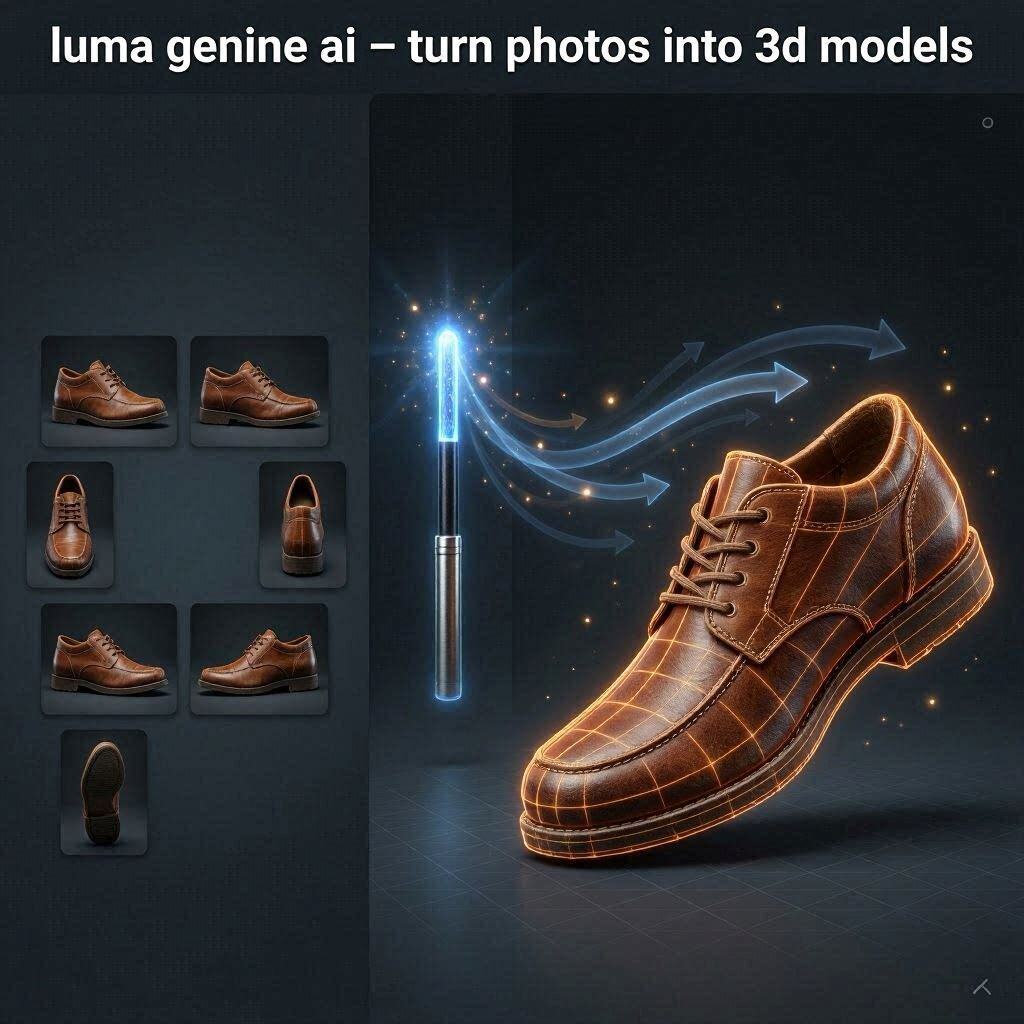
Luma Labs Genie AI Review 2026: Turn Any Photo into a 3D ModelIntroductionYou have seen AI generate images. You have seen AI generate videos. You have seen AI generate music. But have you ever seen AI create a complete 3D model from just a few photos?Luma Labs Genie does exactly that. And it is completely different from any AI tool you have used before.Luma Labs Genie is an AI-powered tool that turns 5-10 photos into a professional 3D model. No expensive 3D scanner. No complex software. No years of training. Just your phone camera, a few photos, and the AI does the rest.In 2026, Luma Genie has become the go-to tool for game developers, 3D artists, e-commerce sellers, and 3D printing enthusiasts. It is unique, revolutionary, and completely different from image or video AI tools.What is Luma Genie?Luma Genie is a cloud-based AI platform developed by Luma Labs (the same company behind Luma Dream Machine). It uses advanced Neural Radiance Fields (NeRF) technology to analyze multiple photos of any object and reconstruct it as a fully-textured 3D model.How it works:Step Action1 Take 5-10 photos of any object from different angles2 Upload photos to Luma Genie3 AI analyzes lighting, shape, texture, and depth4 AI generates a complete 3D model (5-10 minutes)5 Download in your preferred format (OBJ, GLTF, STL)What you can create:Products (shoes, bags, watches, electronics)Furniture (chairs, tables, lamps, sofas)Sculptures and statuesFood itemsPeople (full body)Any real-world objectKey Features of Luma Genie1. Photo to 3D Model (Main Feature)This is Luma Genie’s core feature. Take 5-15 photos of any object from different angles, and the AI creates a complete 3D model.Requirement DetailMinimum photos 5 photosRecommended photos 10-15 photosPhoto angles 360 degrees around the objectLighting Natural daylight works bestBackground Plain, solid color backgroundResult quality High-resolution, realistic textures2. Realistic TexturesThe AI automatically captures:Texture Element How AI Handles ItColors Extracts exact colors from your photosMaterial Detects shiny, matte, rough, smooth surfacesDetails Captures scratches, logos, labels, small imperfectionsLighting Bakes realistic lighting into the texture3. Multiple Export FormatsDownload your 3D model in any popular format:Format Best ForOBJ Blender, Maya, 3ds Max, Cinema 4DGLTF/GLB Web, AR/VR, Three.js, React Three FiberUSDZ Apple AR (iPhone, iPad)STL 3D printing4. Mobile App AvailablePlatform AvailabilityiOS ✅ Available on App StoreAndroid Coming soonWeb Browser ✅ Works on any computerYou can take photos with your phone, upload directly from the app, and get 3D models on the go.5. Automatic OptimizationLuma Genie automatically optimizes your 3D model:Optimization What It DoesPolygon reduction Reduces file size without losing qualityTexture compression Makes models load faster on websitesHole filling Fixes missing parts automaticallySmoothing Removes jagged edgesHow to Use Luma Genie (Step by Step)Step Action1 Go to lumalabs.ai/genie2 Sign up with Google or email (free)3 Click “Create New” or “Upload Photos”4 Take 10-15 photos of your object (move around it)5 Upload all photos to Luma Genie6 Click “Generate 3D Model”7 Wait 5-10 minutes for AI processing8 Preview your 3D model (rotate, zoom, inspect)9 Download as OBJ, GLTF, or STLPricing: Free vs PaidFeature Free Tier Pro Plan Business PlanMonthly Cost $0 $10/month $50/month3D Models per Month 5 50 UnlimitedResolution Standard High Ultra (4K)Texture Quality 1K 2K 4KExport Formats OBJ, GLTF All formats All + APIWatermark No No NoPriority Processing Normal Fast FastestCommercial Use ✅ Yes ✅ Yes ✅ YesFree Tier: 5 models per month – perfect for testing.Pro ($10/month):** For regular creators and hobbyists.**Business ($50/month): For studios and e-commerce businesses.Real-World ExamplesExample 1: E-commerce Product VisualizationScenario: An online shoe store wants to add 3D product views to their website.Luma Genie Workflow:Take 15 photos of a shoe from all anglesUpload to Luma GenieAI generates 3D model in 8 minutesDownload as GLTFEmbed on website using Three.jsResult: Customers can rotate, zoom, and inspect shoes from every angle before buying.Example 2: 3D Printing Personal ItemsScenario: Someone wants to 3D print a statue of their pet.Luma Genie Workflow:Take 20 photos of the pet from all anglesUpload to Luma GenieAI creates 3D model with realistic fur textureDownload as STL fileSend to 3D printerResult: A perfect 3D printed statue of their beloved pet.Example 3: Game Asset CreationScenario: An indie game developer needs realistic assets for their game.Luma Genie Workflow:Take 12 photos of a real treasure chestUpload to Luma GenieAI creates 3D model with wood and metal texturesDownload as OBJImport into Unity or Unreal EngineResult: Professional-quality game asset in minutes, not hours.Tips for Best ResultsFor Taking Photos:Do’s Don’tsTake 10-15 photos Don’t take only 3-4 photosMove 360 degrees around object Don’t shoot from one angle onlyUse natural daylight Don’t use camera flashKeep object still Don’t move object between shotsUse plain background Don’t use cluttered backgroundsCover all angles (top, bottom, sides) Don’t miss any angleFor Best 3D Models:Good Objects Difficult ObjectsShoes, bags, furniture Glass, water, transparent itemsStatues, sculptures Mirrors, highly reflective surfacesFood, plants Very shiny metalToys, props Objects with no texture (plain white)Who Should Use Luma Genie?User Type Why Use Luma Genie?Game Developers Create quick 3D assets, props, weapons, environmentsE-commerce Sellers Add 360° product views to websites3D Printing Enthusiasts Turn real objects into printable modelsProduct Designers Create prototypes and visualize designsAR/VR Developers Capture real-world objects for augmented realityMuseums & Archives Digitize artifacts and sculpturesHobbyists Have fun turning objects into 3D modelsPros and Cons✅ ProsNo 3D modeling skills needed – Anyone can use itFast – 3D model in 5-10 minutesRealistic textures – Captures real-world detailsFree tier available (5 models per month)Multiple export formats – Works with all 3D softwareMobile app available (iOS)Commercial use allowed – Even on free tierSaves hundreds of hours compared to manual modeling❌ ConsRequires good photos – Blurry or dark photos = bad modelsProcessing time (5-10 minutes per model)Transparent objects are difficult (glass, water)Shiny surfaces are difficult (mirrors, chrome)Android app coming soon (not yet available)Only 5 free models per monthFrequently Asked QuestionsIs Luma Genie really free?Yes, free tier gives you 5 free 3D model generations per month.Can I use Luma Genie for commercial projects?Yes, free tier and paid tiers both allow commercial use.How many photos do I need?Minimum 5 photos. Recommended 10-15 photos for best quality.Can I 3D print the models?Yes, download as STL format and send to any 3D printer.Is there a mobile app?Yes, iOS app is available on the App Store. Android coming soon.How long does processing take?5-10 minutes for standard quality. Pro plan has priority processing.Luma Genie vs Other AI ToolsFeature Luma Genie Midjourney ChatGPT Pika LabsOutput 3D Models Images Text VideosInput Photos Text prompts Text prompts Text promptsUnique Feature Real objects to 3D Artistic images Conversation AI videosFree Tier 5 models/mo No Yes UnlimitedVerdict: Luma Genie is completely different from any tool you have used before. It creates 3D models, not images or videos.Final VerdictLuma Genie is unique because it creates 3D models from photos – something most people have never tried before. AI image generators make images. AI video generators make videos. But 3D models are a different category entirely.If you are a game developer, Luma Genie will save you hundreds of hours.If you are an e-commerce seller, Luma Genie will help you sell more with 360° product views.If you are a 3D printing enthusiast, Luma Genie lets you print real-world objects.The free tier gives you 5 models to test. The $10/month Pro plan is affordable for regular use.Try Luma Genie today. You will be amazed at what your phone camera can create.Rating: 4.6/5 Best for: Game developers, e-commerce sellers, 3D printing enthusiasts Worst for: Transparent objects, shiny surfaces, low-quality photos.